WESIGNDOC makes it easy to download and print your documents at any stage of the signing process. Whether you need a digital copy for records, compliance, or offline use, or a printed version for filing or sharing, WESIGNDOC provides flexible options to export your documents securely.
You can download completed envelopes with all signatures and filled fields included, or print documents directly from the envelope details page without any extra steps.
How to Download Documents in WESIGNDOC
Downloading documents allows you to store copies locally or share them outside the platform when needed.
Steps to Download an Envelope
-
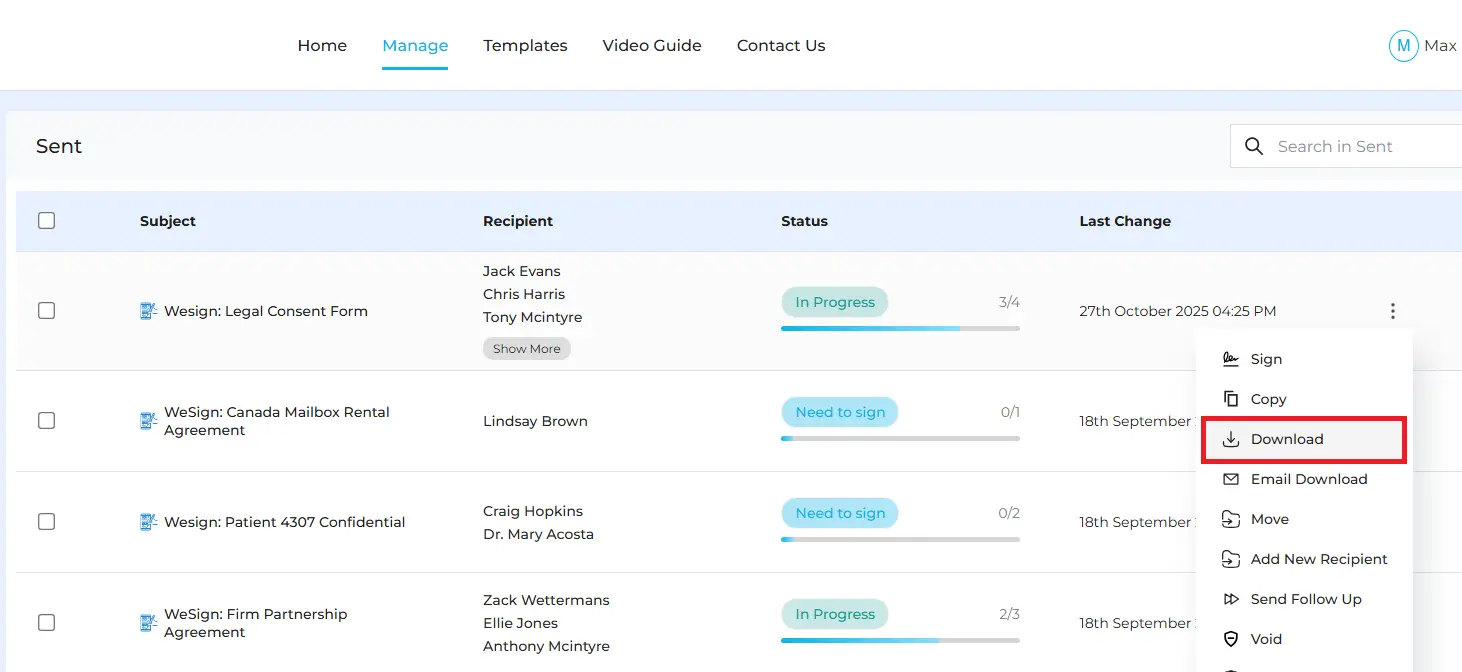
From the Manage Documents page, locate the envelope you want to download.
-
If the envelope is completed, the downloaded document will include all signatures, initials, and completed fields.
-
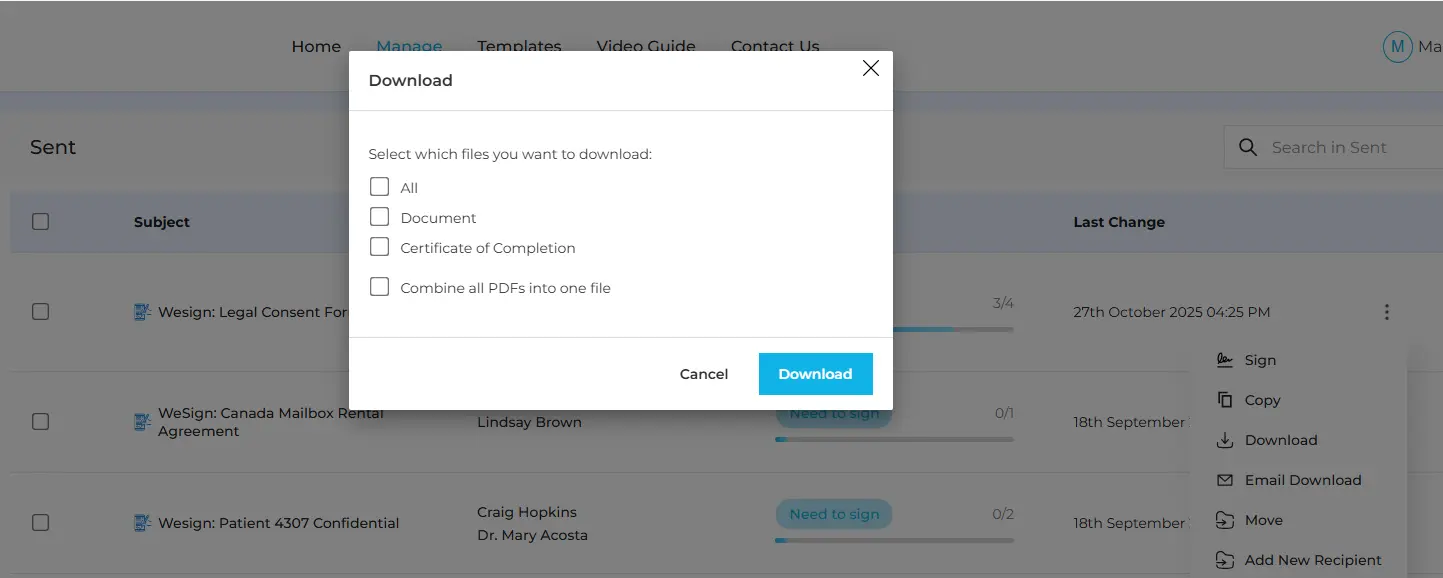
Choose how you want to download the documents:
-
Separate files (ZIP format): Download all files or selected documents as individual files inside a ZIP folder.
-
Single combined PDF: Download all documents merged into one PDF file.
-
Once selected, the files will be downloaded to your device’s Downloads folder.
This flexibility helps you organize documents exactly the way you need.
How to Print Documents in WESIGNDOC
Printing documents in WESIGNDOC is quick and straightforward, allowing you to create physical copies whenever required.
Steps to Print an Envelope
-
Go to the Manage Documents page and find the envelope you want to print.
-
Click on the subject line of the envelope to open the envelope details page.
-
Click the Print icon to print the document directly or save a printable copy.
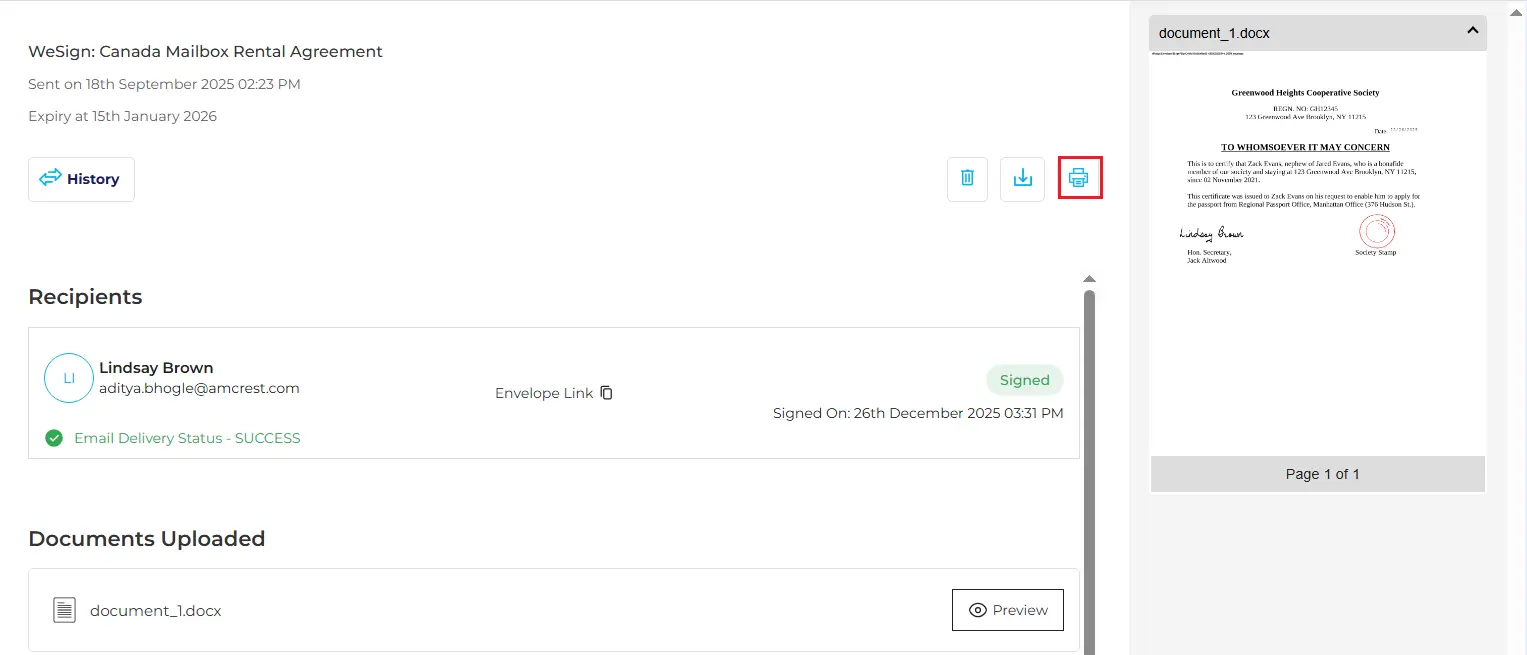
This option is useful for maintaining hard copies for internal records, audits, or offline storage.
Why Download or Print Documents?
Downloading and printing documents helps you:
-
Keep offline records for compliance or audits
-
Share signed documents outside the platform
-
Store backups securely on your device
-
Access documents anytime without logging in
-
Maintain both digital and physical copies when required
These features are especially useful for legal teams, HR departments, finance teams, real estate professionals, and administrators.

 Products
 eSignature Send, sign, and track documents
 Mobile App Sign, send, and manage documents from anywhere
 Smart Document Templates Build, reuse, and standardize documents
 Mass Document Sending (Bulk Send) Send forms to thousands in one go
 Web Forms Share links to collect signed forms
 Secure SMS Delivery Send sign links directly via SMS
 Robust API Integration Automate sending and tracking flows
 Developer SDK Toolkits Add eSign features to any product