














Sign, send, and manage documents from anywhere.
WeSign Mobile gives your team a secure way to upload documents, add recipients, place signature fields, send agreements, and track every document from a phone.


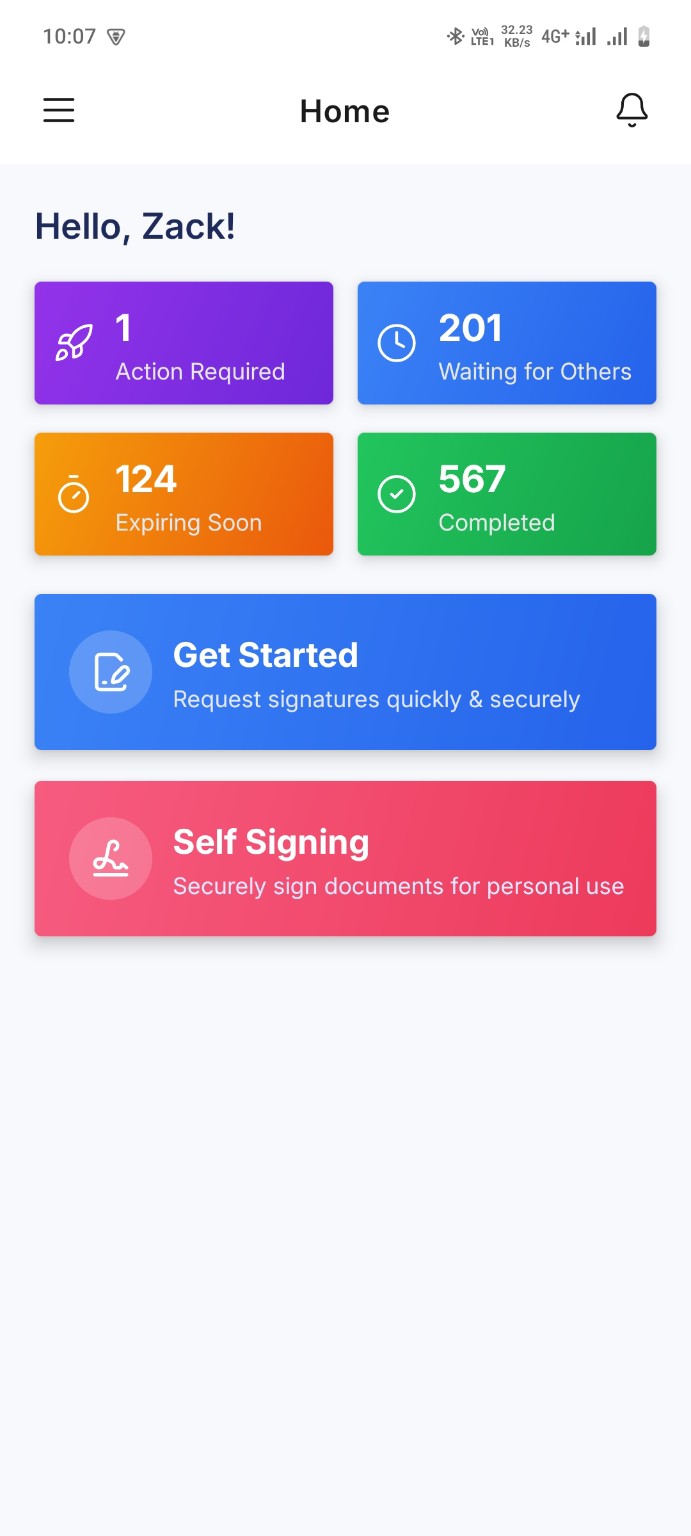
Open WeSign and see documents waiting, expiring, completed, or pending.
Everything important is visible when users open the app.
The WeSign home screen highlights action required, waiting for others, expiring soon, and completed envelopes so users can act quickly.
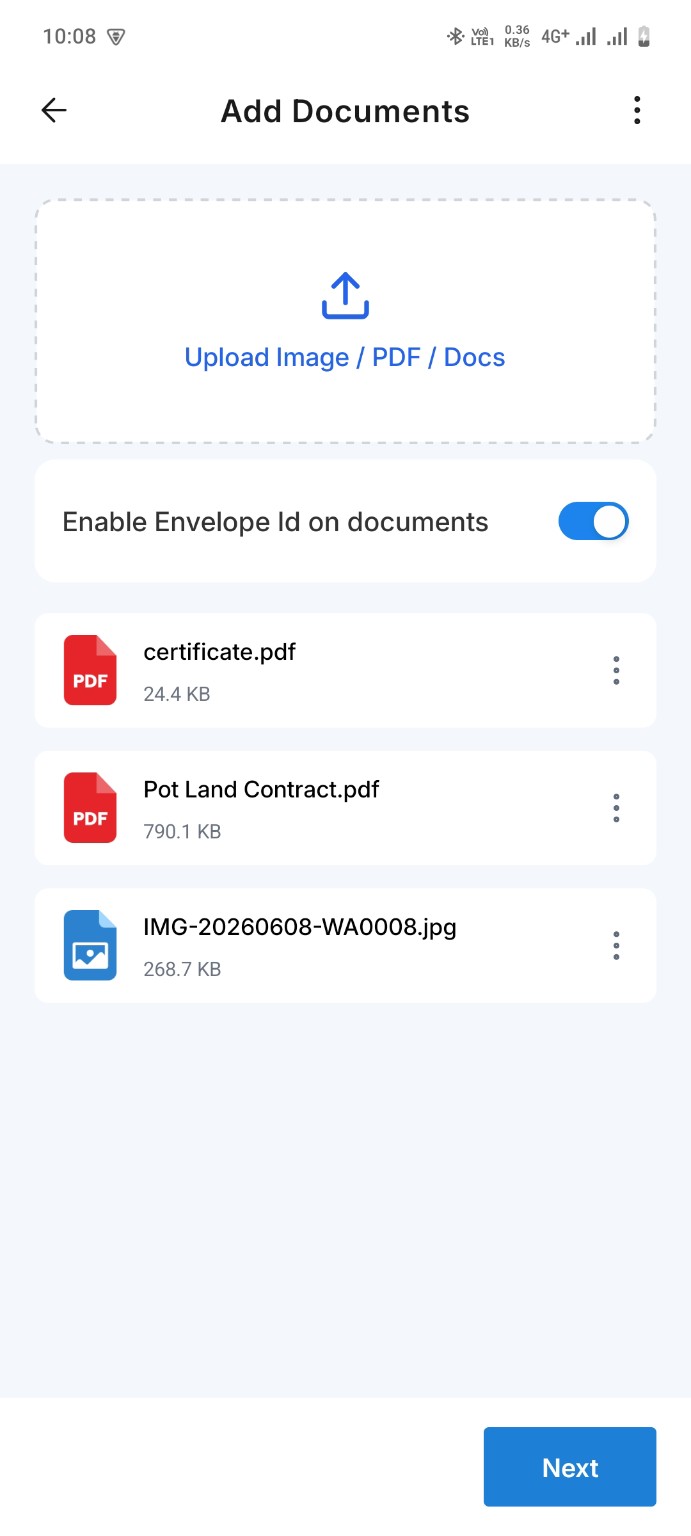
Upload PDFs, images, and documents in just a few taps.
Start a new envelope by uploading files from your mobile device. WeSign supports common business document formats and lets users continue the sending flow without friction.
- Upload images, PDF files, and document files
- Enable envelope ID on documents
- Review all selected files before sending
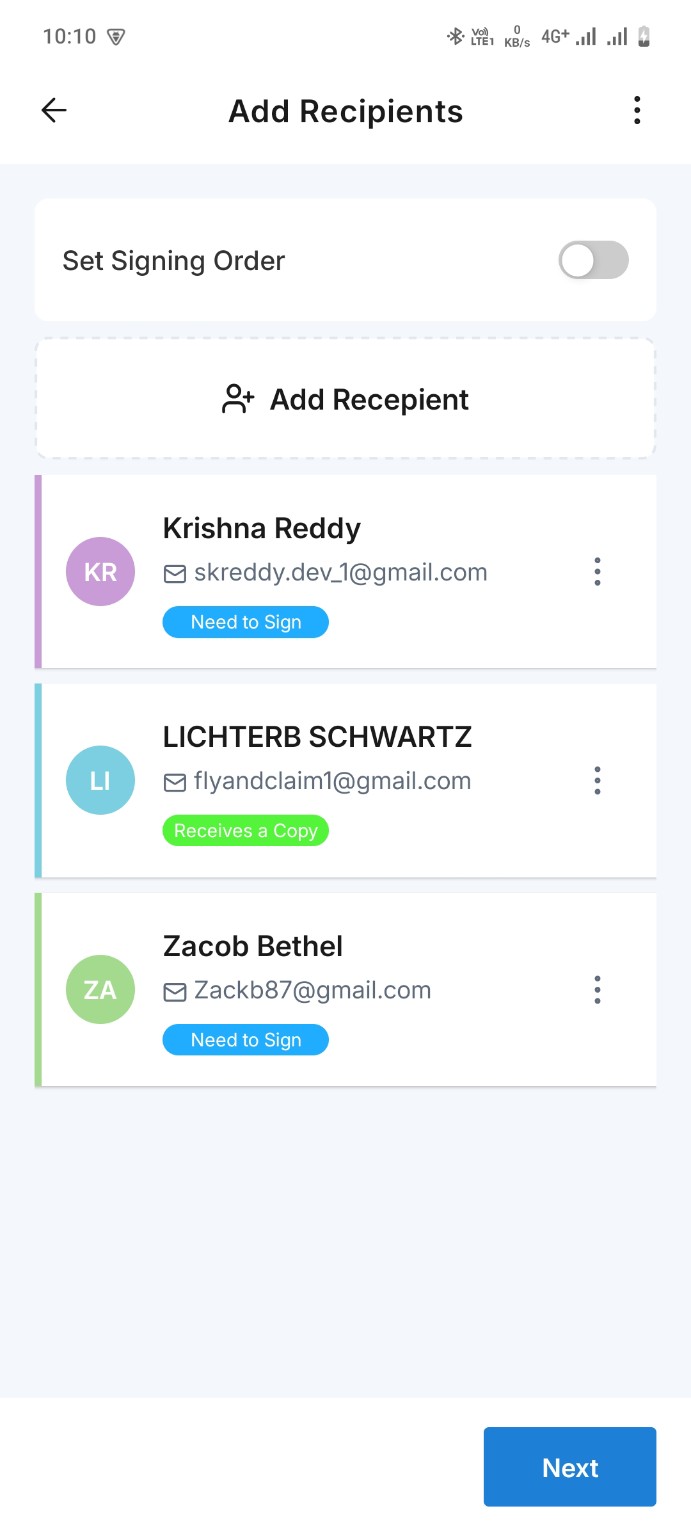
Send documents to signers, approvers, and copy recipients.
Add recipients, assign their role, and choose whether the envelope should follow a signing order. WeSign keeps multi-person signing simple and organized.
- Add one or more recipients
- Set signer roles such as Need to Sign or Receives a Copy
- Control signing order when required
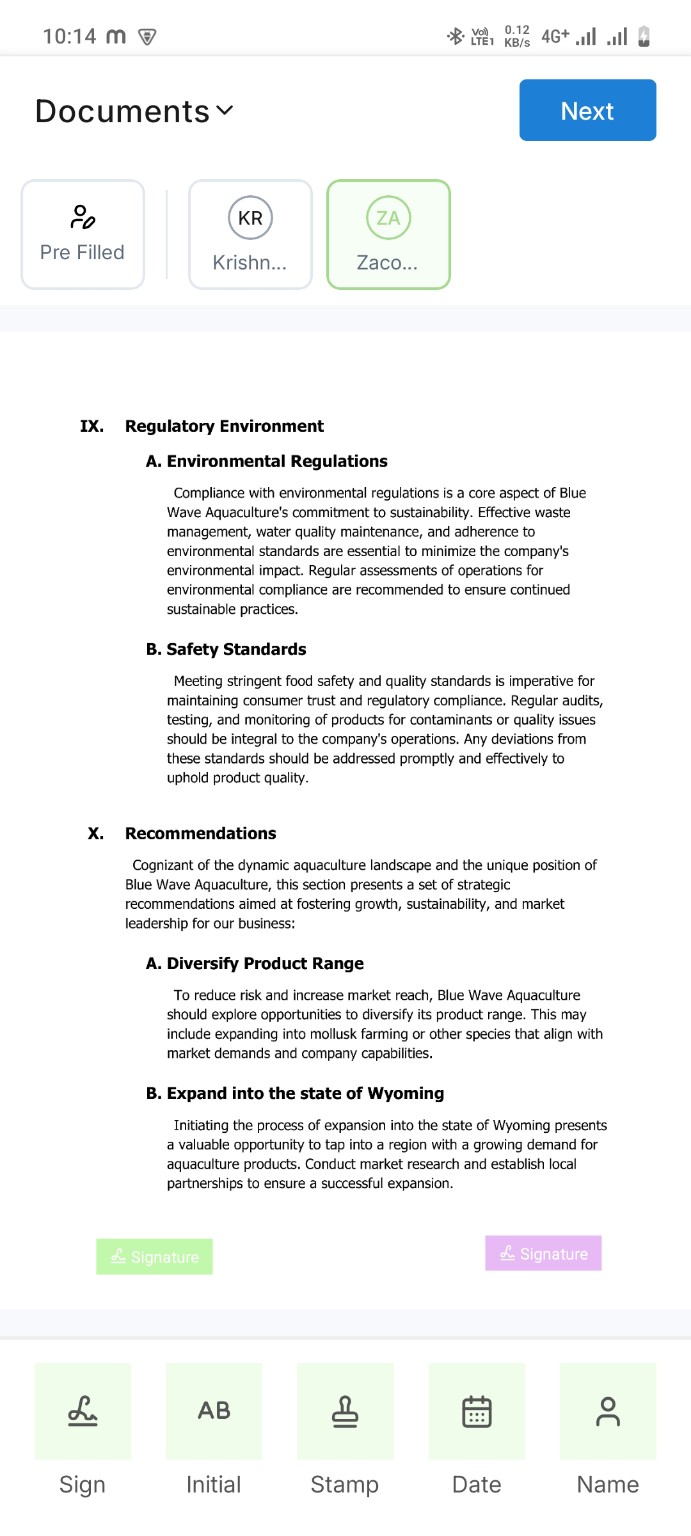
Place signature, initials, date, stamp, and name fields.
WeSign makes document preparation easy on mobile. Users can choose a recipient, place fields on the document, and move through the workflow with a clear next step.
- Add signature and initial fields
- Place stamp, date, and name fields
- Prepare documents directly from the mobile viewer
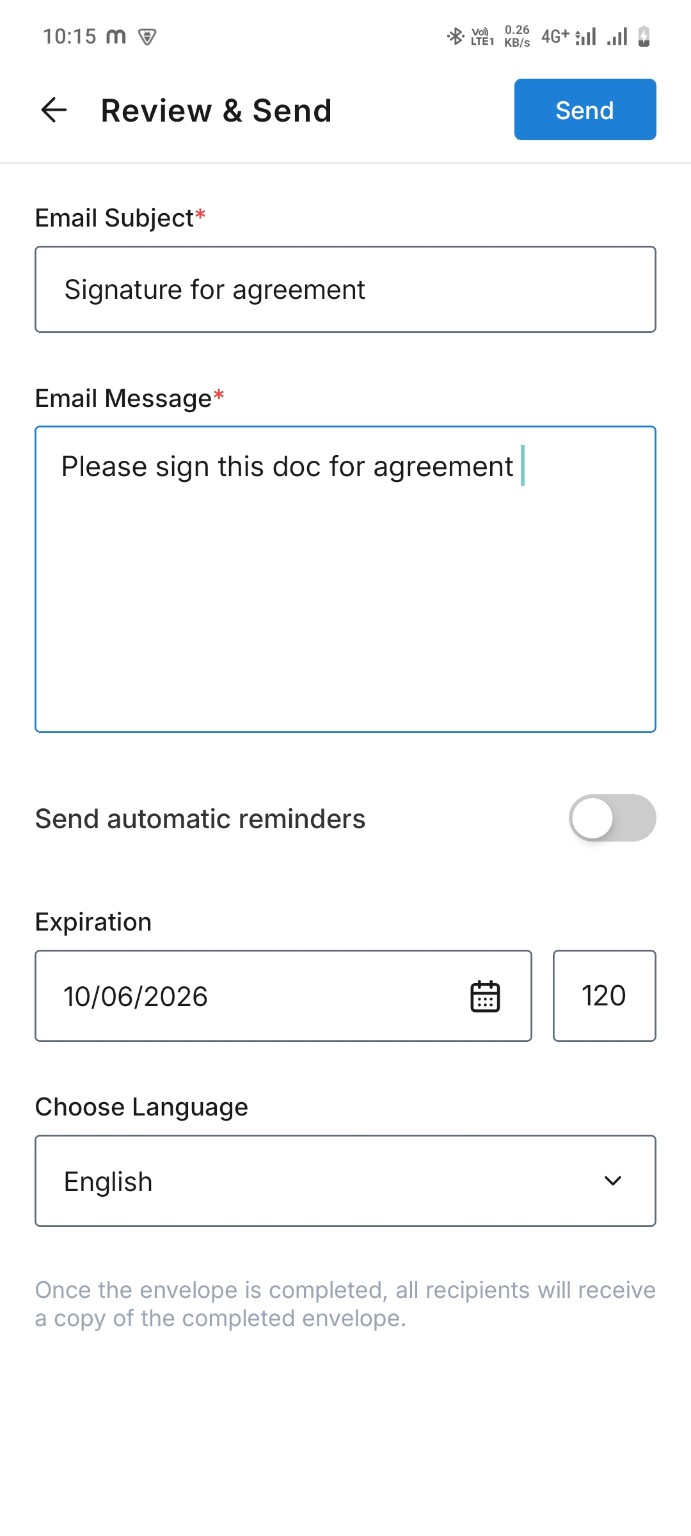
Send complete signature requests with message, reminders, and expiry.
Before sending, users can add an email subject, message, automatic reminder settings, expiration date, and language preference for the envelope.
- Customize email subject and message
- Set automatic reminders
- Choose expiration and language settings
From upload to completed agreement, WeSign keeps the process clear.
Users can prepare, send, track, resend, download, and manage documents from one mobile experience.
Upload
Select documents from your phone and prepare them as a secure envelope.
Prepare
Add recipients and place the right signing fields for every participant.
Track
Monitor envelopes, resend requests, view history, print, or download files.
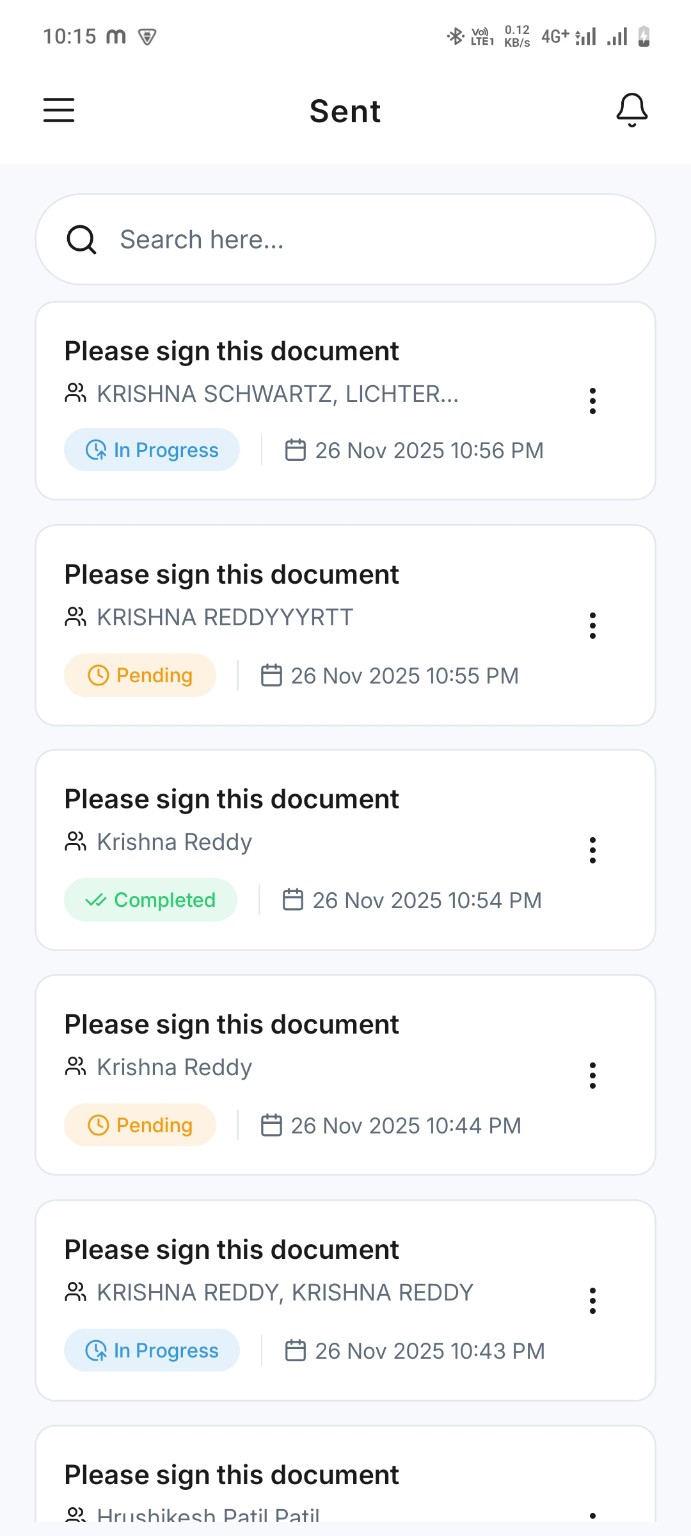
Track every envelope after it is sent.
The Sent screen gives users a searchable list of envelopes with live statuses like in progress, pending, and completed.
- Search sent envelopes quickly
- View status and sent date
- Open details for resend, history, print, and download actions
Give users complete control after sending.
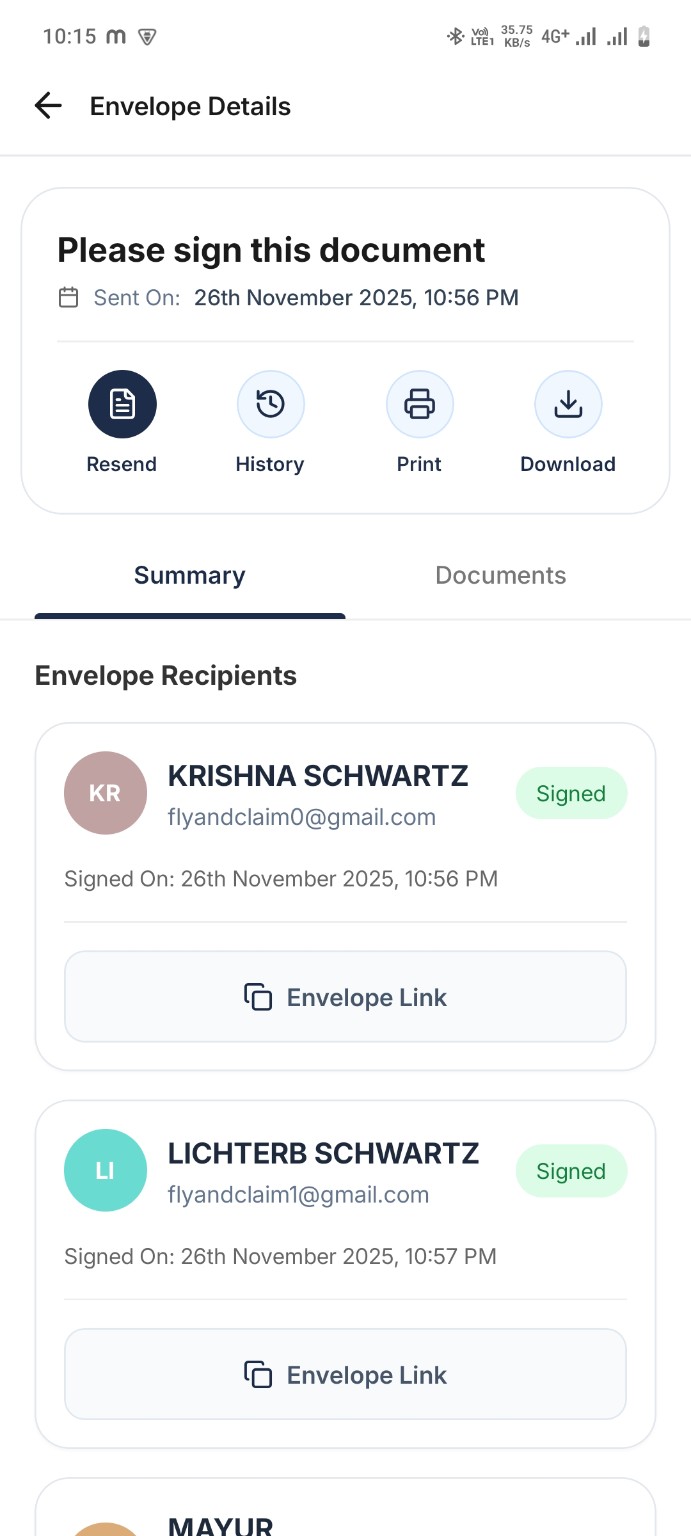
WeSign envelope details show recipients, signing status, envelope links, and document actions so every agreement remains easy to manage.
- Resend an envelope when needed
- Check recipient summary and signed status
- Download, print, or review document history
A closer look at WeSign Mobile.
Scroll through the mobile screens to see how users can upload, prepare, send, and manage documents.
Home dashboard
Add documents
Add recipients
Prepare documents
Review and send
Sent documents
Envelope details
Swipe or scroll sideways to view more screens.
Download the WeSign mobile app
Let your customers and team members sign, send, and manage agreements from anywhere.
WeSign Mobile questions
Can I use WeSign Mobile with my existing account?
Yes. Users can log in with their WeSign account and access envelopes, signing activity, and document history from mobile.
Can I upload documents from my phone?
Yes. WeSign Mobile supports uploading images, PDFs, and documents from the phone so users can start signature requests quickly.
Can I add multiple recipients?
Yes. Users can add multiple recipients, choose recipient roles, and enable signing order when the document needs a step-by-step flow.
Can I track documents after sending?
Yes. WeSign Mobile shows sent envelopes with statuses such as pending, in progress, and completed, plus detailed recipient information.