














Web Forms
Simplify data collection and signing for every user
Lengthy, outdated forms often result in abandoned submissions, inaccurate data, and delayed agreements. WeSign Web Forms replace static documents with a modern, interactive experience that is easy for users to complete and simple for teams to manage.
With Web Forms, information and signatures are collected in a single, streamlined flow—removing friction for users and accelerating outcomes for your business.

What is Web form?
A web form is an online interface that collects user input through fields and submits data to a server.
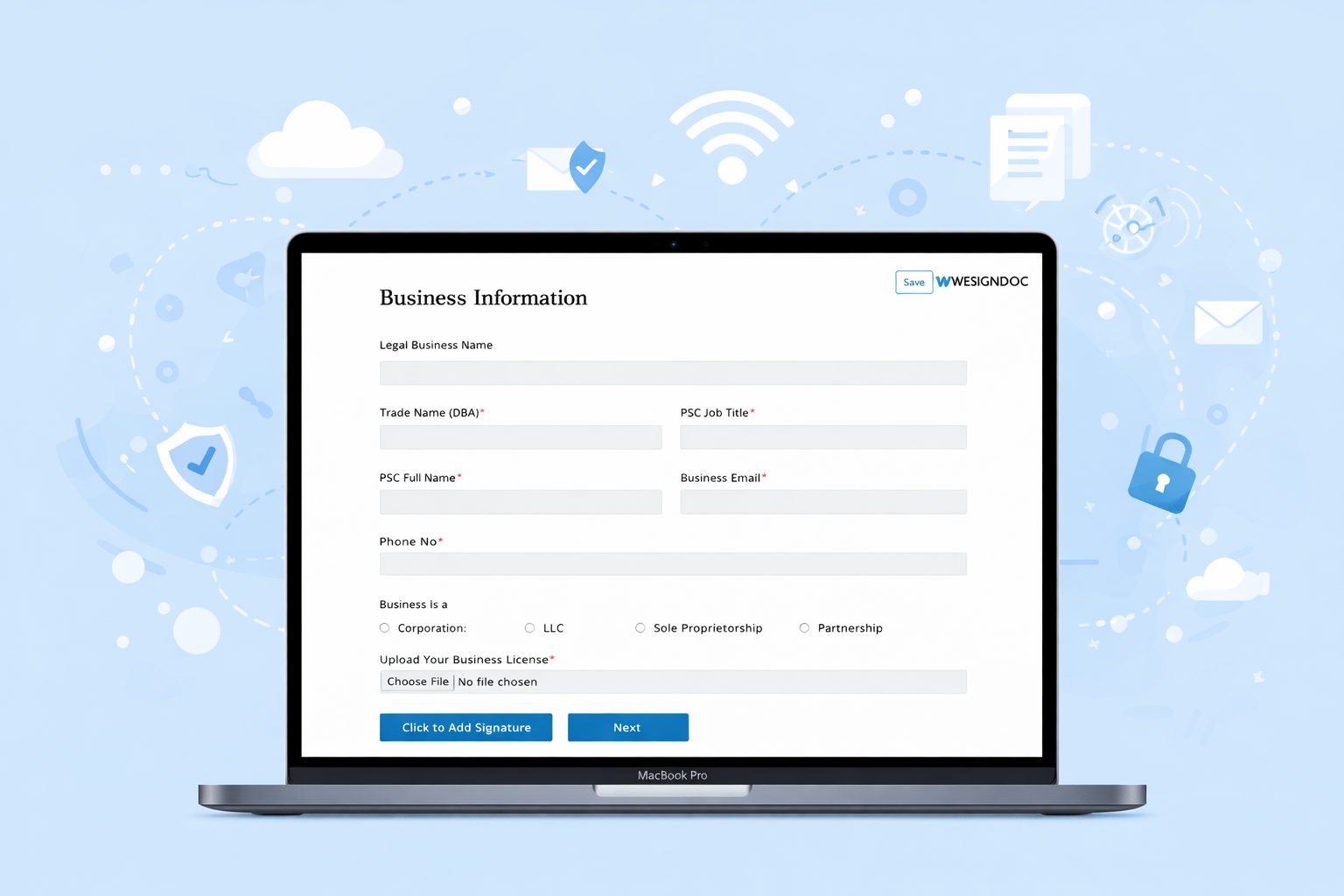
Build and publish web forms in minutes—without code
WeSign Web Forms are designed for speed and simplicity. Using an intuitive, no-code builder, you can create forms directly in the canvas and configure fields to capture the exact information you need—from basic details to legally binding signatures.
There are no templates to manage and no technical setup required. Create, edit, and publish a form in just a few clicks, making it easy to adapt to new workflows and requirements.
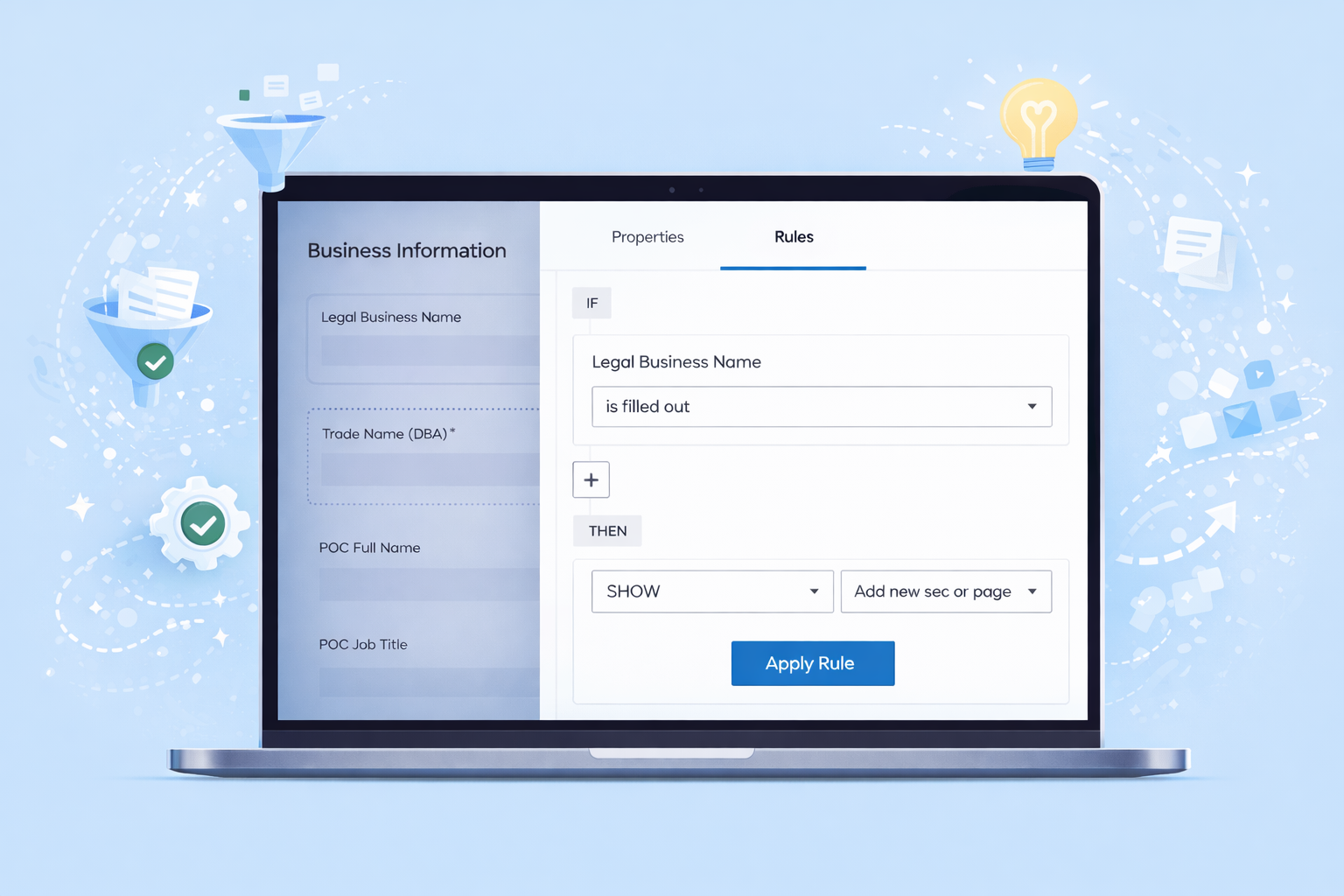
Apply intelligent rules to guide users through the right questions
Web Forms support conditional rules that dynamically adjust form fields based on user responses. This allows forms to remain concise and relevant, showing only the information that applies to each signer.
Built-in validation further improves accuracy by ensuring required data is captured correctly the first time—reducing errors, incomplete submissions, and manual follow-ups.
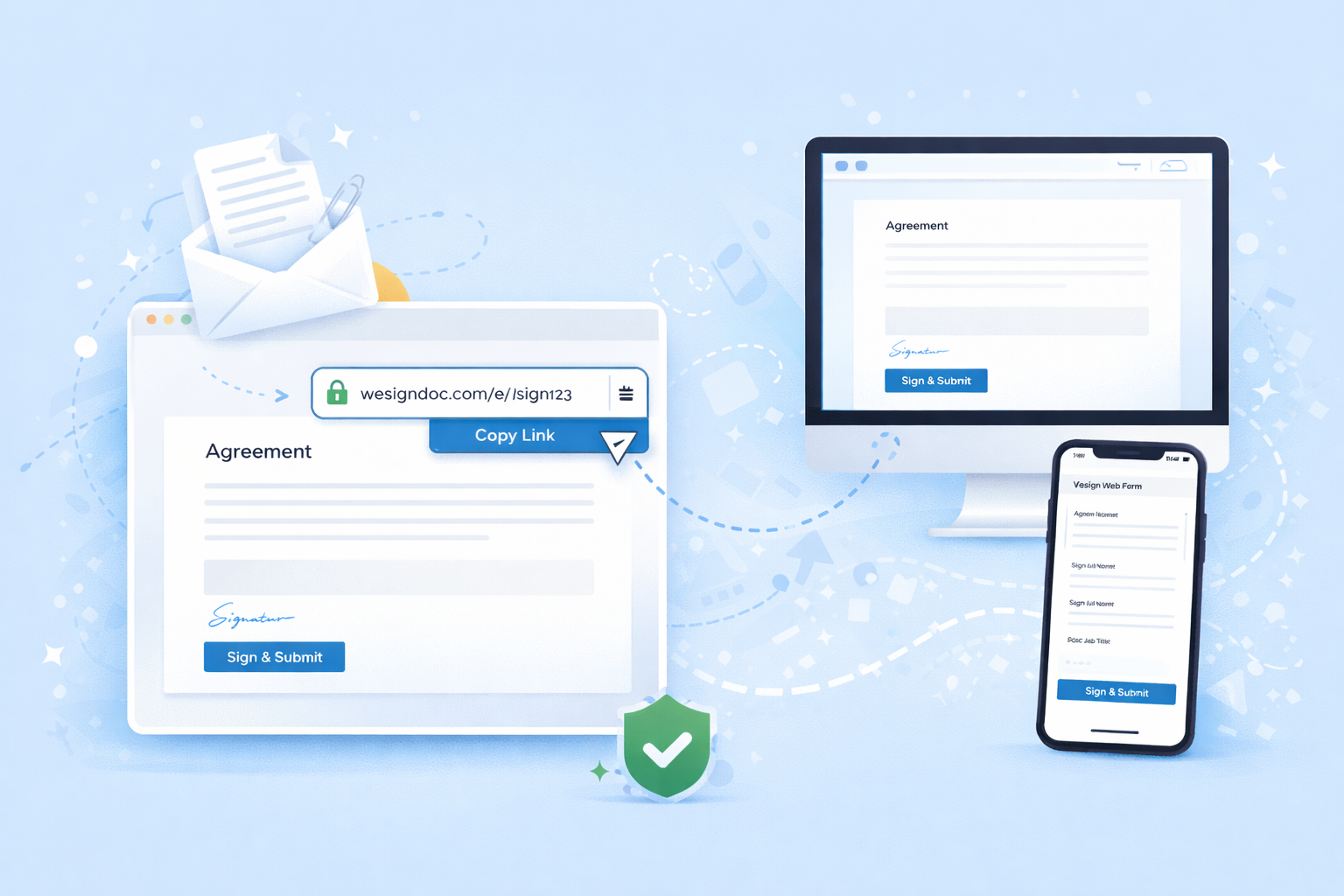
Replace email-based workflows with secure links and embeds
Traditional form workflows often rely on email attachments and document exchanges that slow down completion and create unnecessary complexity. WeSign Web Forms eliminate this friction.
Once a form is published, a secure link is generated instantly. Share the link directly with users or embed the form into your website or platform. Users complete and sign the form in one seamless experience—without downloads or tool switching.
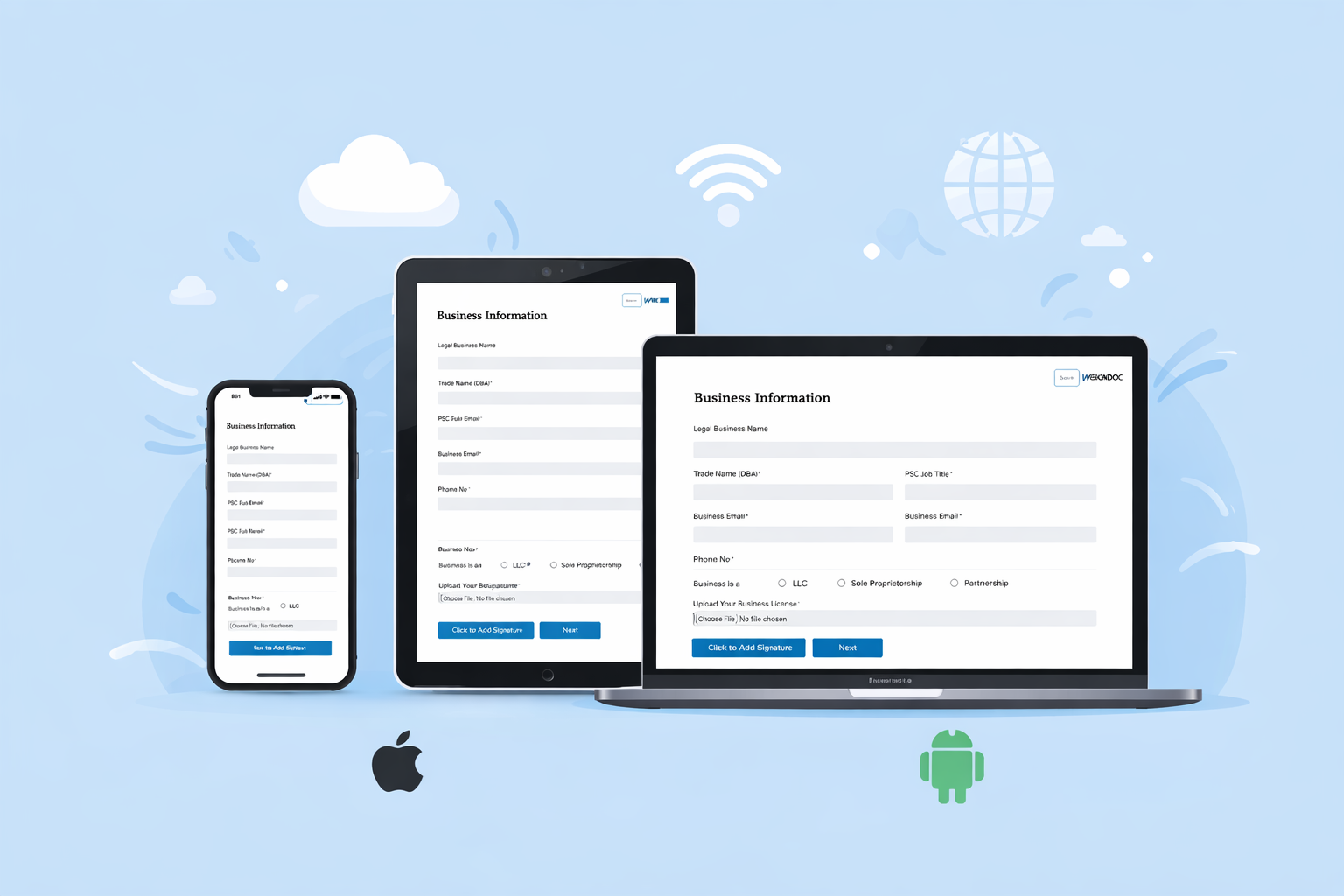
Designed for a seamless experience on any device
WeSign Web Forms are fully responsive and optimized for mobile phones, tablets, and desktops. Users can complete and sign forms wherever they are, without sacrificing usability or clarity.
The mobile-friendly interface ensures smooth navigation and faster completion, helping reduce abandonment and improve overall user satisfaction.
How organizations use WeSign Web Forms

Financial Services
- Account opening requests
- Loan and credit applications
- Direct deposit forms

Insurance
- Policy updates
- Beneficiary changes
- Claims submissions

Government
- Housing assistance forms
- Permit requests
- Benefit applications

Healthcare & Life Sciences
- Patient intake
- Consent documentation
- Clinical enrollment

Education
- Student enrollment
- Scholarship applications
- Financial aid forms

Business Operations
- Vendor onboarding
- Customer intake
- Employee onboarding
Explore Our Digital Signature Plans
Choose from flexible pricing options tailored for businesses of all sizes. Whether you're just starting out or managing enterprise-level workflows, Wesign Doc offers a digital signature solution to fit your needs.
See Pricing