Folders in WESIGNDOC help you keep your documents and templates well organized, making it easier to manage envelopes as your activity grows. Instead of searching through long lists, folders allow you to group envelopes and templates logically so you can find what you need quickly.
Folders are available across the Manage Documents page as well as the Templates section, helping you maintain a clean and structured workspace.
Default Folders in WESIGNDOC
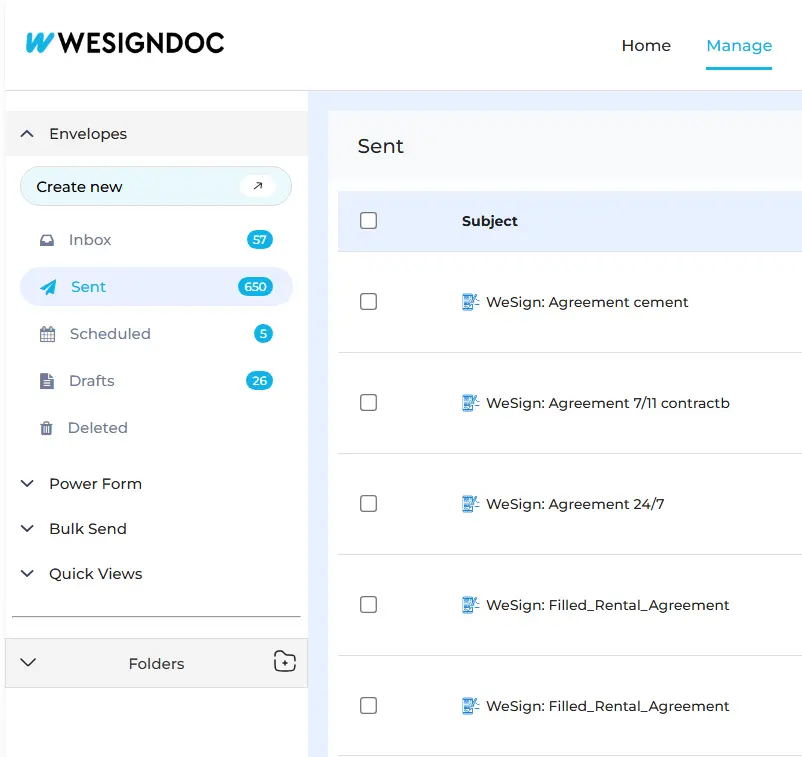
Every WESIGNDOC account comes with a set of standard folders to manage envelope status automatically:
-
Inbox – Envelopes received or awaiting action
-
Sent – Envelopes you have sent to recipients
-
Scheduled – Envelopes set to be sent at a future date
-
Completed – Fully signed and completed envelopes
-
Action Required – Envelopes that require your attention
-
Drafts – Envelopes saved but not yet sent
-
Deleted – Envelopes that have been removed
These folders help you track the progress of your documents without any manual setup.
Creating and Using Custom Folders
To further organize your workflow, WESIGNDOC allows you to create custom folders and subfolders directly from the Manage Documents page.
With custom folders, you can:
-
Move envelopes out of Inbox or Sent views
-
Group documents by client, project, or department
-
Separate active work from completed records
-
Maintain a clean and clutter-free document list
Where to Find Folders
By default, all folders appear in the bottom-left section of the Manage Documents page. From here, you can easily access system folders as well as any custom folders you create.
Folders for Templates
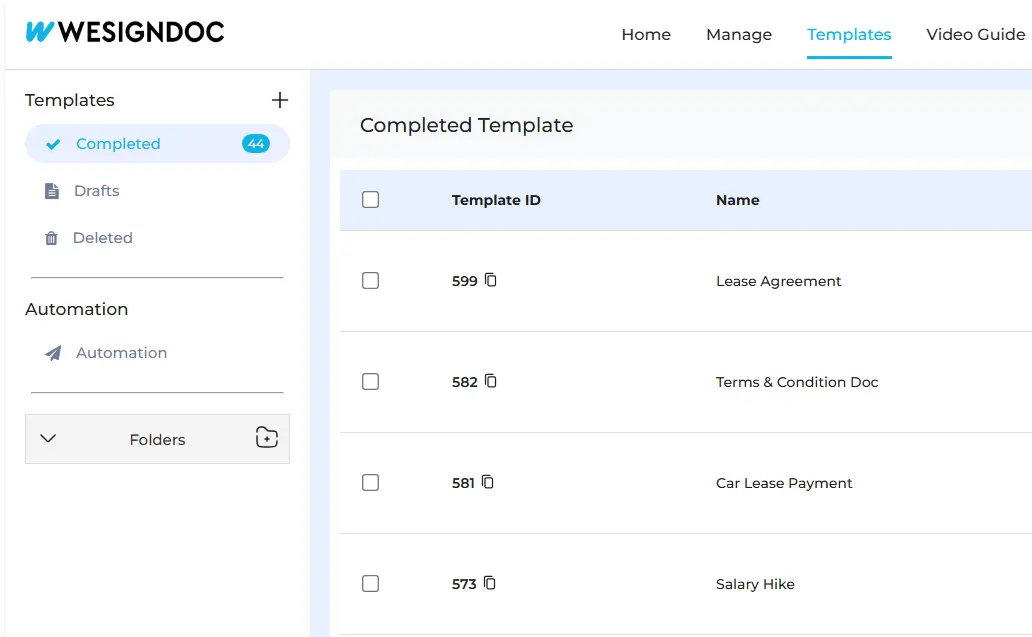
Folders are also available in the Templates section of WESIGNDOC. This allows you to store frequently used templates in an organized manner so they can be reused again and again without confusion.
Using template folders helps you:
-
Group templates by use case (HR, Legal, Sales, etc.)
-
Quickly locate reusable documents
-
Maintain consistency across repeated workflows
Why Use Folders in WESIGNDOC?
Folders help you:
-
Stay organized as document volume increases
-
Reduce time spent searching for envelopes
-
Separate documents by status, client, or purpose
-
Keep templates neatly arranged for reuse
-
Improve overall productivity and workflow clarity
Folders are especially useful for business teams, HR departments, legal teams, sales professionals, and administrators who manage documents daily.

 Products
 eSignature Send, sign, and track documents
 Mobile App Sign, send, and manage documents from anywhere
 Smart Document Templates Build, reuse, and standardize documents
 Mass Document Sending (Bulk Send) Send forms to thousands in one go
 Web Forms Share links to collect signed forms
 Secure SMS Delivery Send sign links directly via SMS
 Robust API Integration Automate sending and tracking flows
 Developer SDK Toolkits Add eSign features to any product