WESIGNDOC lets you send documents through email by default. However, if you want to send signing links via SMS, you must purchase an SMS plan.
SMS delivery is fast, convenient, and ensures signers receive documents instantly on their mobile phones.
Step-by-Step: How to Purchase an SMS Plan
1. Login to Your WESIGNDOC Account
Start by logging in at https://wesign.com/
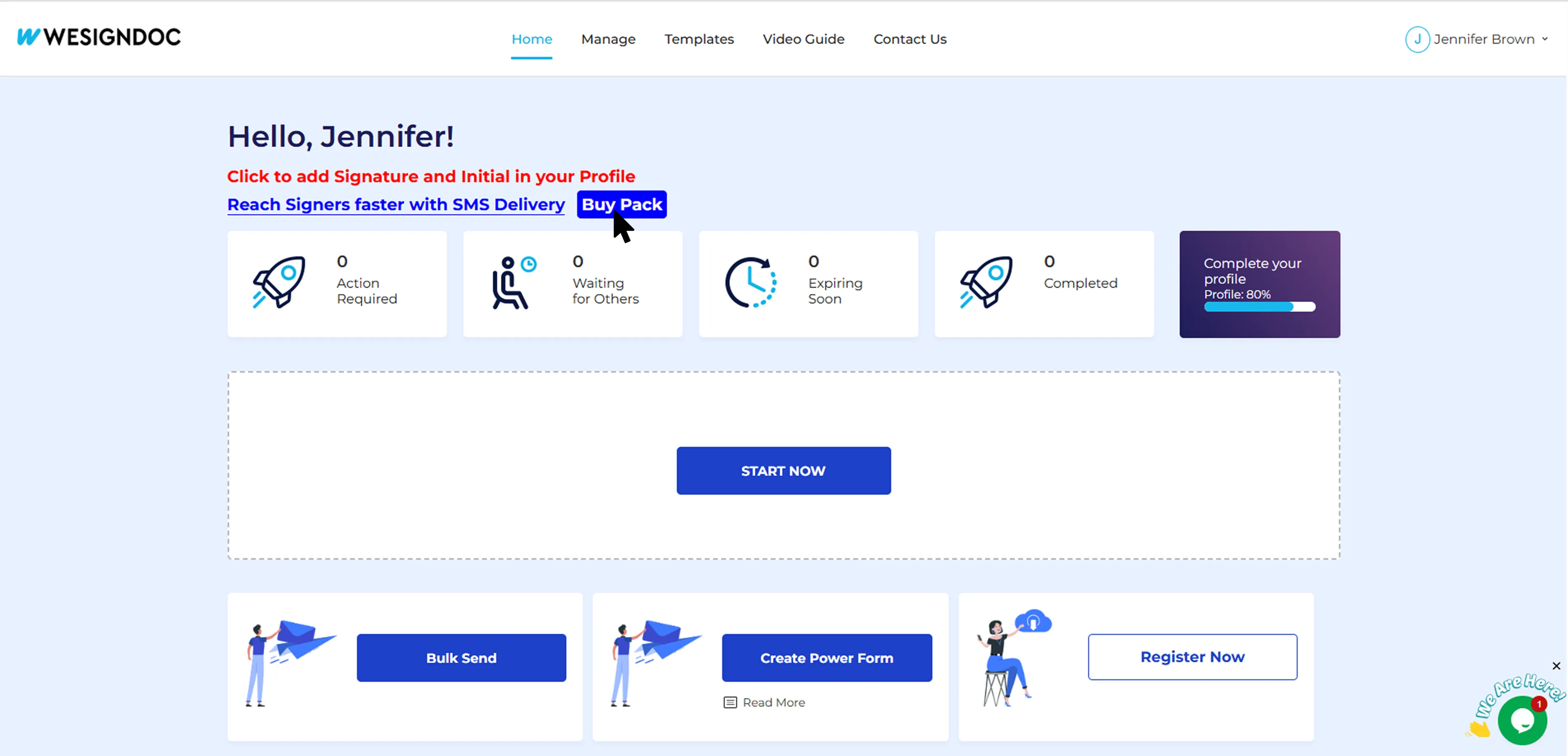
After logging in, you'll be taken to your main dashboard.
2. Find the SMS Pack Purchase Option on the Dashboard
On the dashboard, look for the "Purchase SMS Pack" option and click it.
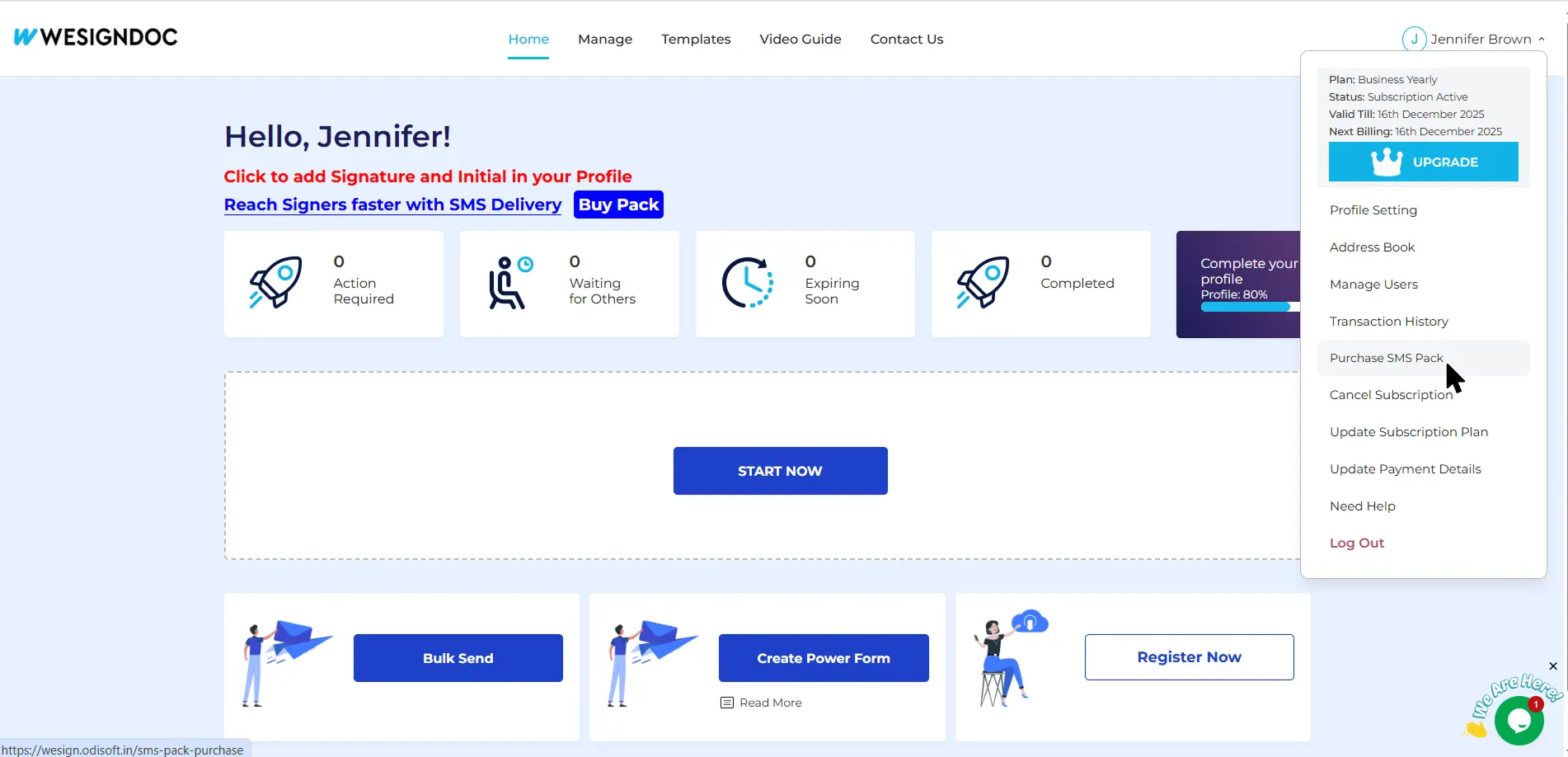
3. Or Access SMS Pack via Menu
If you don’t see it on the dashboard:
-
Open the main menu
-
Select the SMS plan purchase section
4. Select Your SMS Pack
Choose from the available SMS pack options.
If payment details are already saved in your account, simply click “Buy” — the SMS plan will be added instantly.

Why Purchase an SMS Plan?
-
Reach signers instantly
-
Improve signing speed
-
Serve clients who prefer mobile communication
-
Ensure urgent documents get noticed immediately
SMS delivery is ideal for teams in sales, real estate, finance, insurance, healthcare, or anyone who needs faster signer engagement.

 Products
 eSignature Send, sign, and track documents
 Mobile App Sign, send, and manage documents from anywhere
 Smart Document Templates Build, reuse, and standardize documents
 Mass Document Sending (Bulk Send) Send forms to thousands in one go
 Web Forms Share links to collect signed forms
 Secure SMS Delivery Send sign links directly via SMS
 Robust API Integration Automate sending and tracking flows
 Developer SDK Toolkits Add eSign features to any product