WESIGNDOC allows teams to collaborate efficiently by enabling multiple users to handle documents together. By default, sub users have limited access — but a primary account holder can upgrade a sub user to a limited Admin role.
This is especially useful when the main account holder is unavailable due to travel, leave, or other commitments.
What a Sub User Admin Can Do
-
Add, edit, or delete other sub users
-
View transaction history
-
Download invoices
They receive limited admin permissions, keeping your account secure while ensuring work continues without interruptions.
Normal Sub User vs. Sub User Admin
Normal Sub User Menu Options
-
Profile Setting
-
Address Book
Sub User Made an Admin Menu Options
-
Profile Setting
-
Address Book
-
Manage Users
-
Transaction History
This ensures the right balance between functionality and security.
How to Make a Sub User an Admin
1. Login to the Primary Account
-
Visit https://wesign.com/
-
Sign in using your primary account credentials.
-
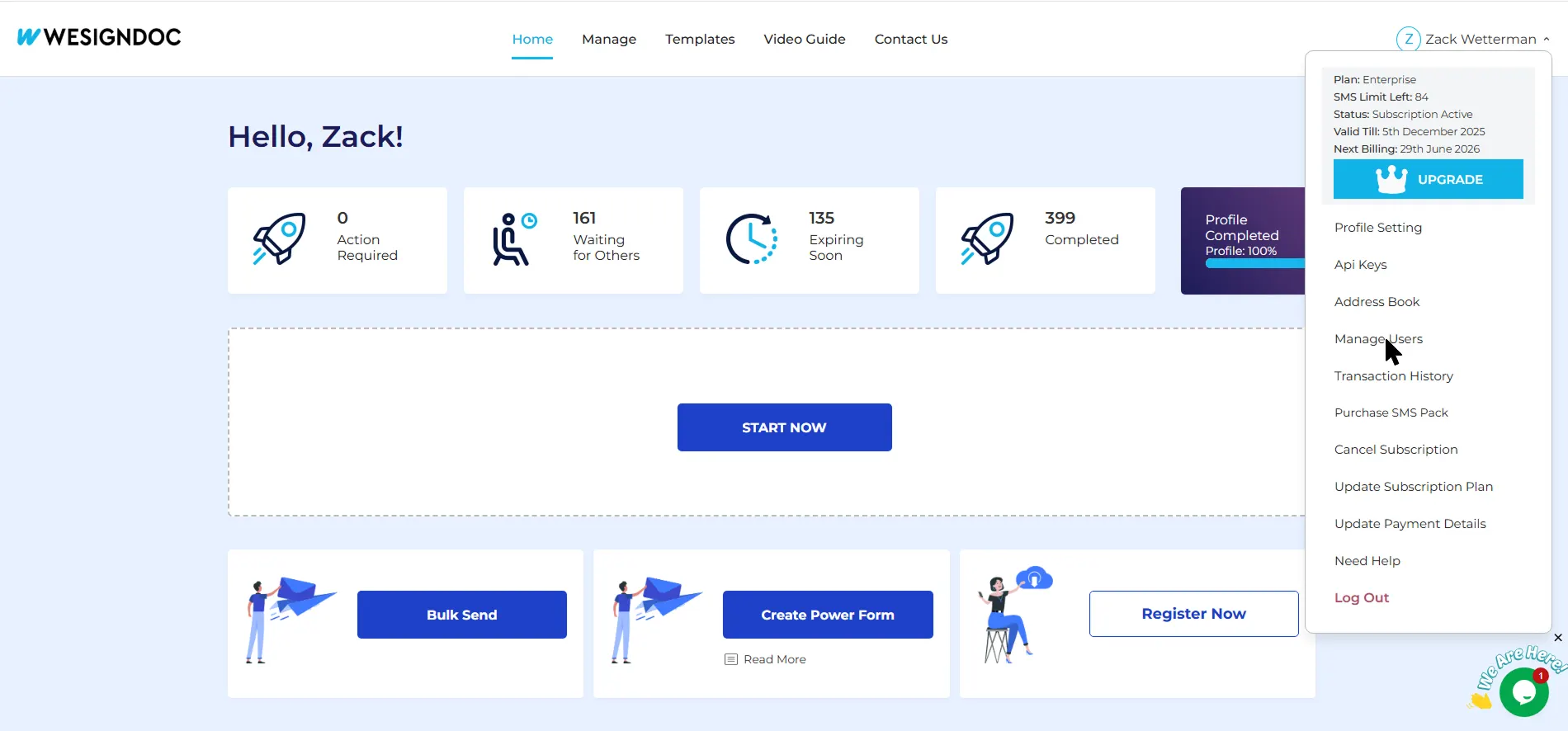
Hover over your name at the top-left corner to open the menu.
2. Open the “Manage Users” Section
-
From the dropdown menu, click Manage Users.
-
If you haven’t added a sub user yet, follow How to Add a Sub User
3. Locate the Sub User
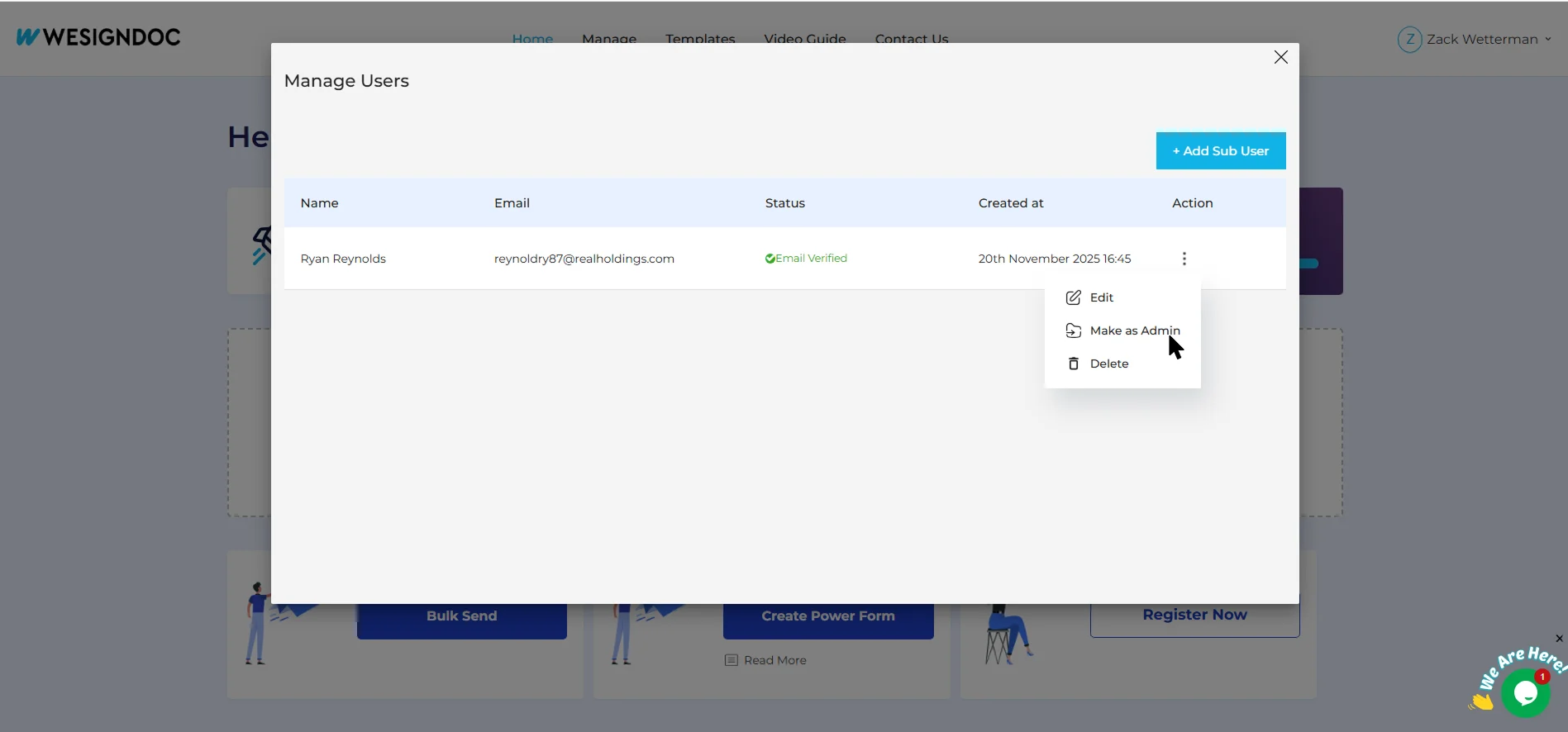
In the Manage Users list, find the sub user you want to upgrade.
On the right side of their row, click the three-dot action button.
4. Make the Sub User an Admin
A small menu will appear — click Make Admin.
The user will instantly receive limited admin privileges.
5. Remove Sub User Admin Access
Go back to the sub users list.
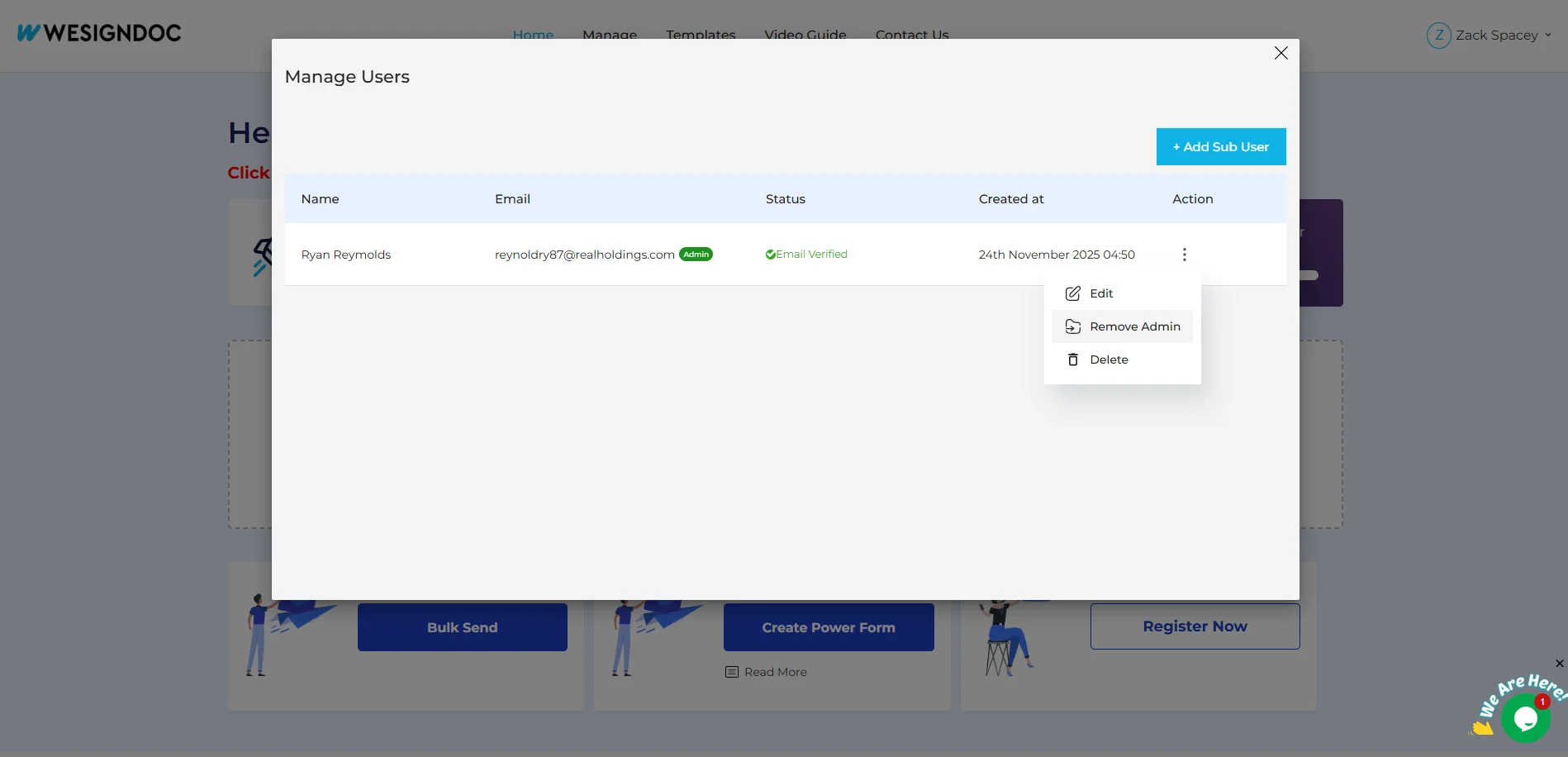
Click the three-dot button next to the current admin.
Select Remove Admin to restore normal permissions.

 Products
 eSignature Send, sign, and track documents
 Mobile App Sign, send, and manage documents from anywhere
 Smart Document Templates Build, reuse, and standardize documents
 Mass Document Sending (Bulk Send) Send forms to thousands in one go
 Web Forms Share links to collect signed forms
 Secure SMS Delivery Send sign links directly via SMS
 Robust API Integration Automate sending and tracking flows
 Developer SDK Toolkits Add eSign features to any product