Pre-Filled Fields in WESIGNDOC allow account owners to instantly place their saved signature, initials, stamps, and personal information onto documents before sending. Once your details are saved in Profile Settings, you can apply them at any time—without needing to send the document to yourself for signing.
This is especially useful when a document requires signatures from both a recipient and you (the account owner). Instead of adding yourself as a signer and waiting for your own email, you can apply your signature instantly during preparation.
Why Use Pre-Filled Fields?
Pre-Filled Fields are helpful for:
-
Instantly adding your signature or stamp
-
Preparing pre-approved or partially signed documents
-
Adding company details or certification stamps
-
Ensuring consistency across documents
-
Speeding up workflows requiring owner approval
Ideal for business owners, HR teams, legal departments, administrators, and compliance workflows.
How to Use Pre-Filled Fields in WESIGNDOC
How to Use Pre-Filled Fields in WESIGNDOC
1. Upload Your Document
Start by uploading the file you want to send for signing.
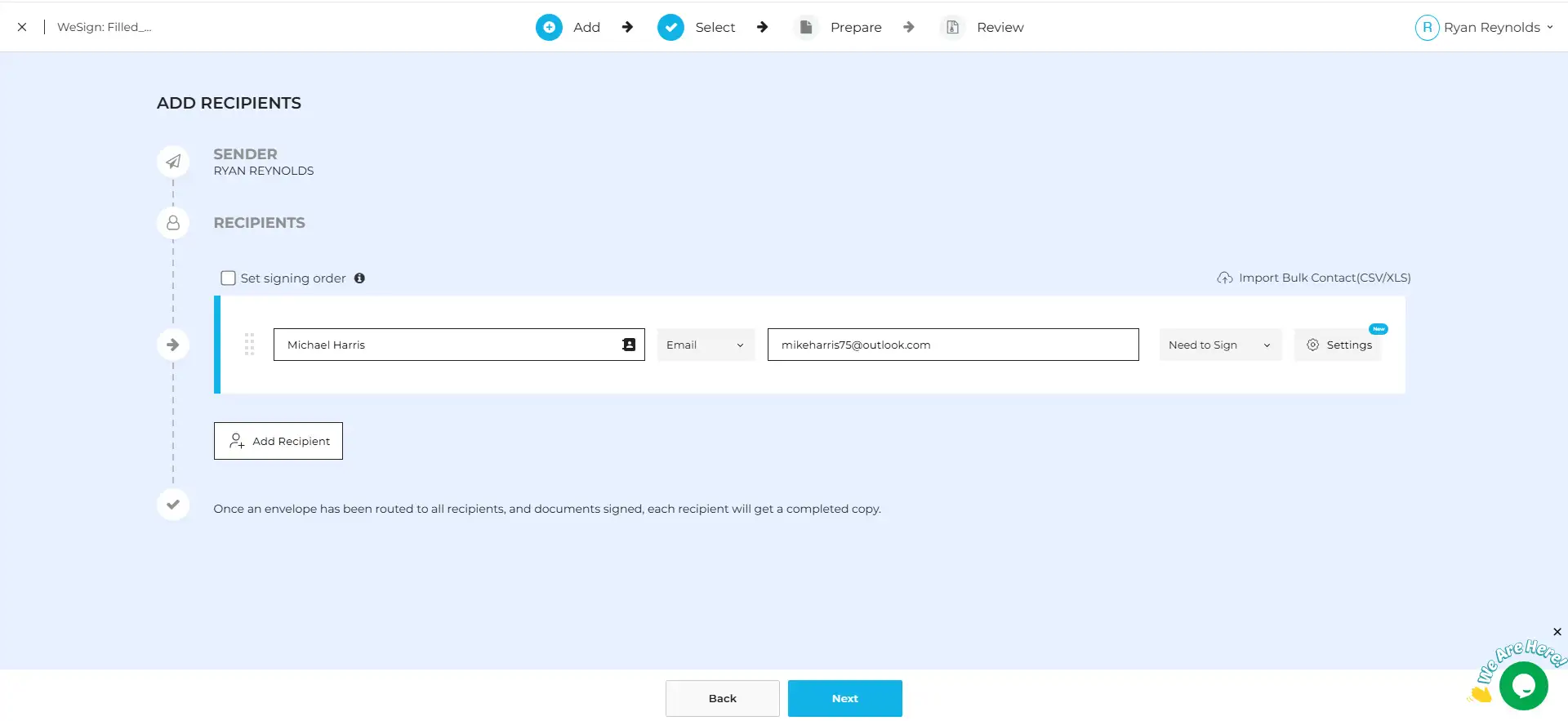
2. Add Recipient Information
Enter the details of all recipients who must sign the document.
Important: If you want your signature added automatically, do not add yourself as a recipient.
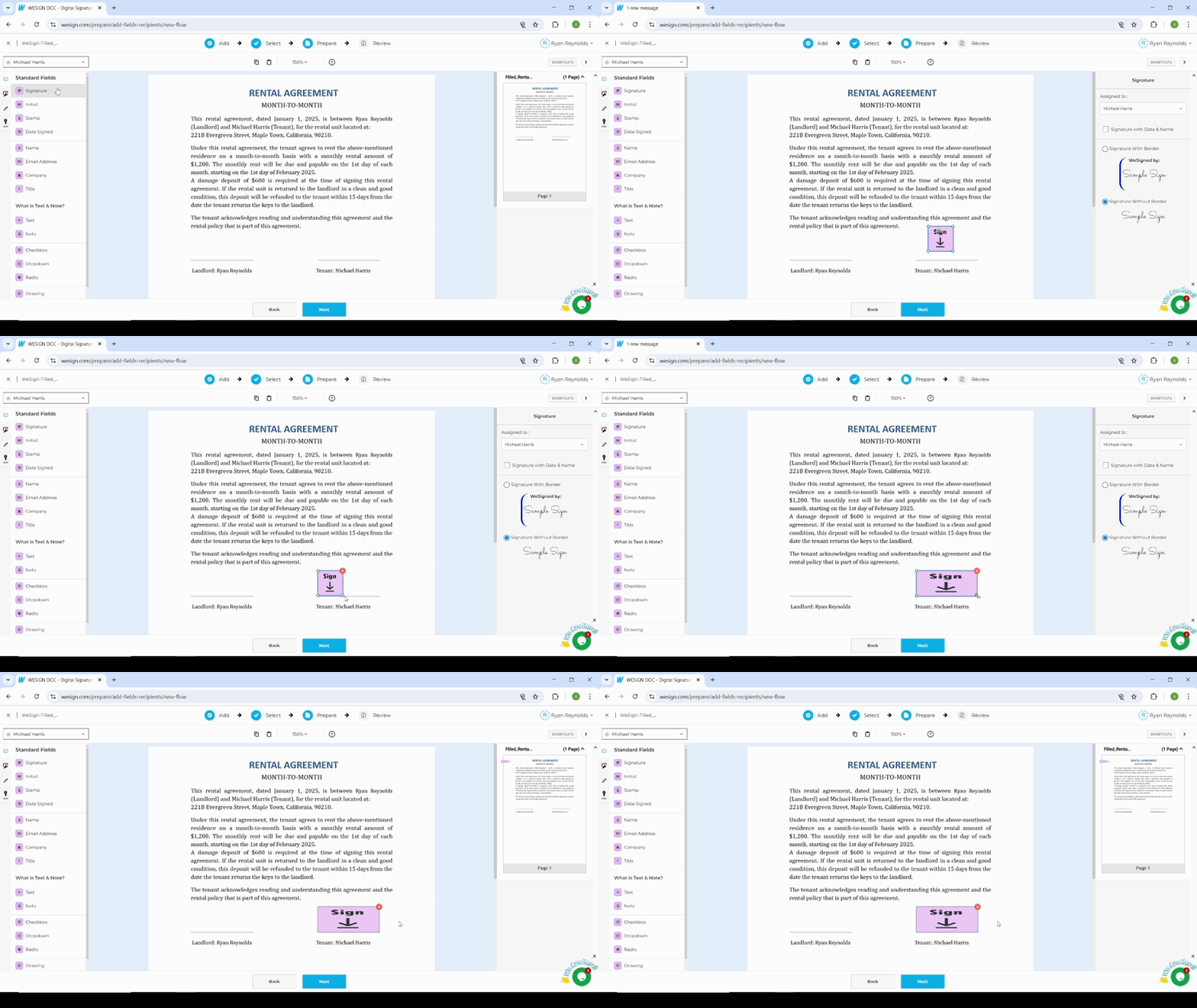
3. Place Fields for the Recipients
In the canvas, drag and drop all required recipient fields such as signature, initials, date, and text boxes.
The signer will see your private message while viewing and signing the document — ensuring the right information reaches the right person.
4. Add Your Signature Using Pre-Filled Fields
Click the Pre-Filled Fields tab. You’ll see all saved elements from your Profile:
-
Your Signature
-
Your Initials
-
Your Stamp
-
Your Personal Details
Drag and drop these elements anywhere on the document.
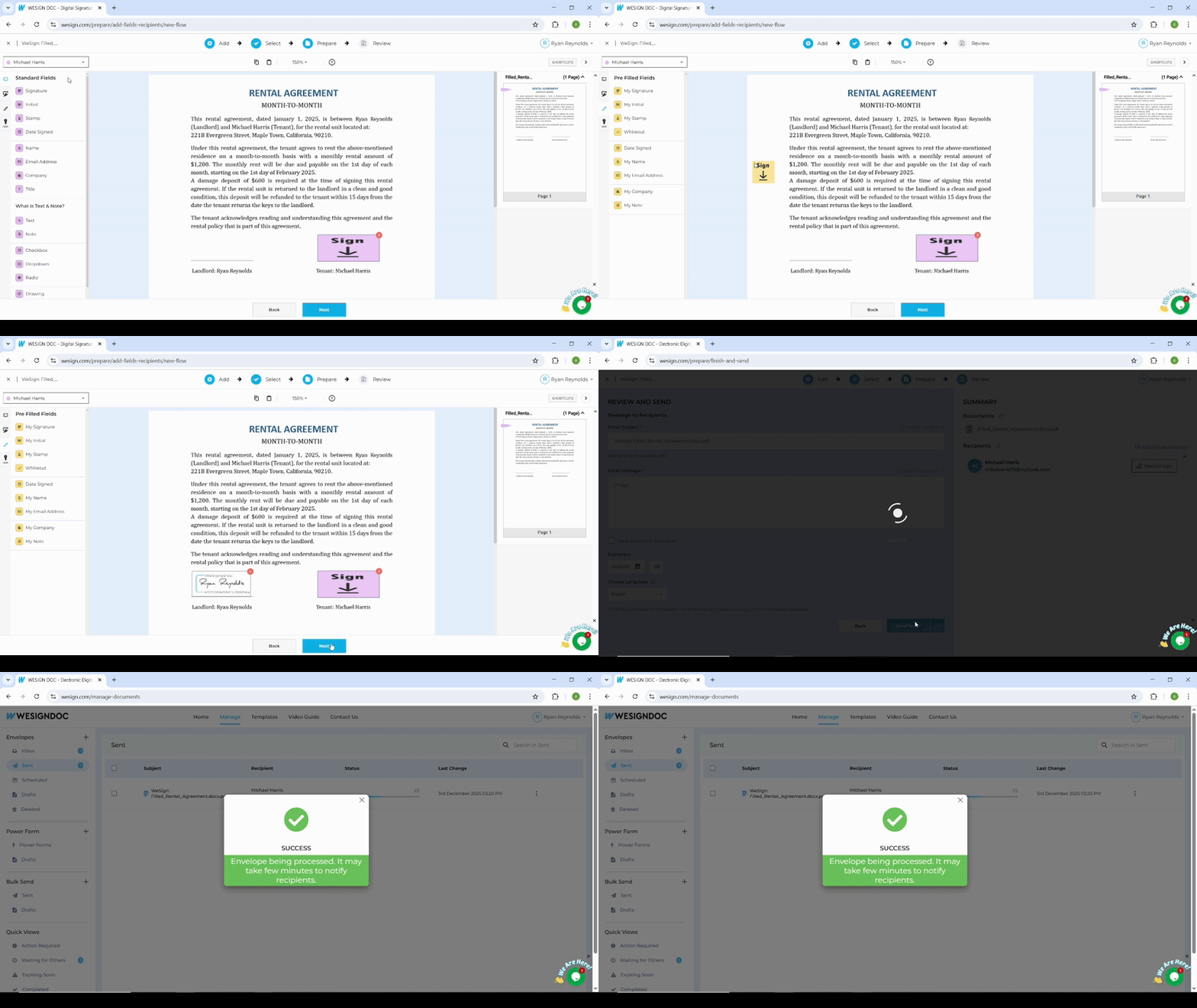
5. Send the Document
Once you click Send, your signature and details are already applied. Only the other recipients will need to sign.
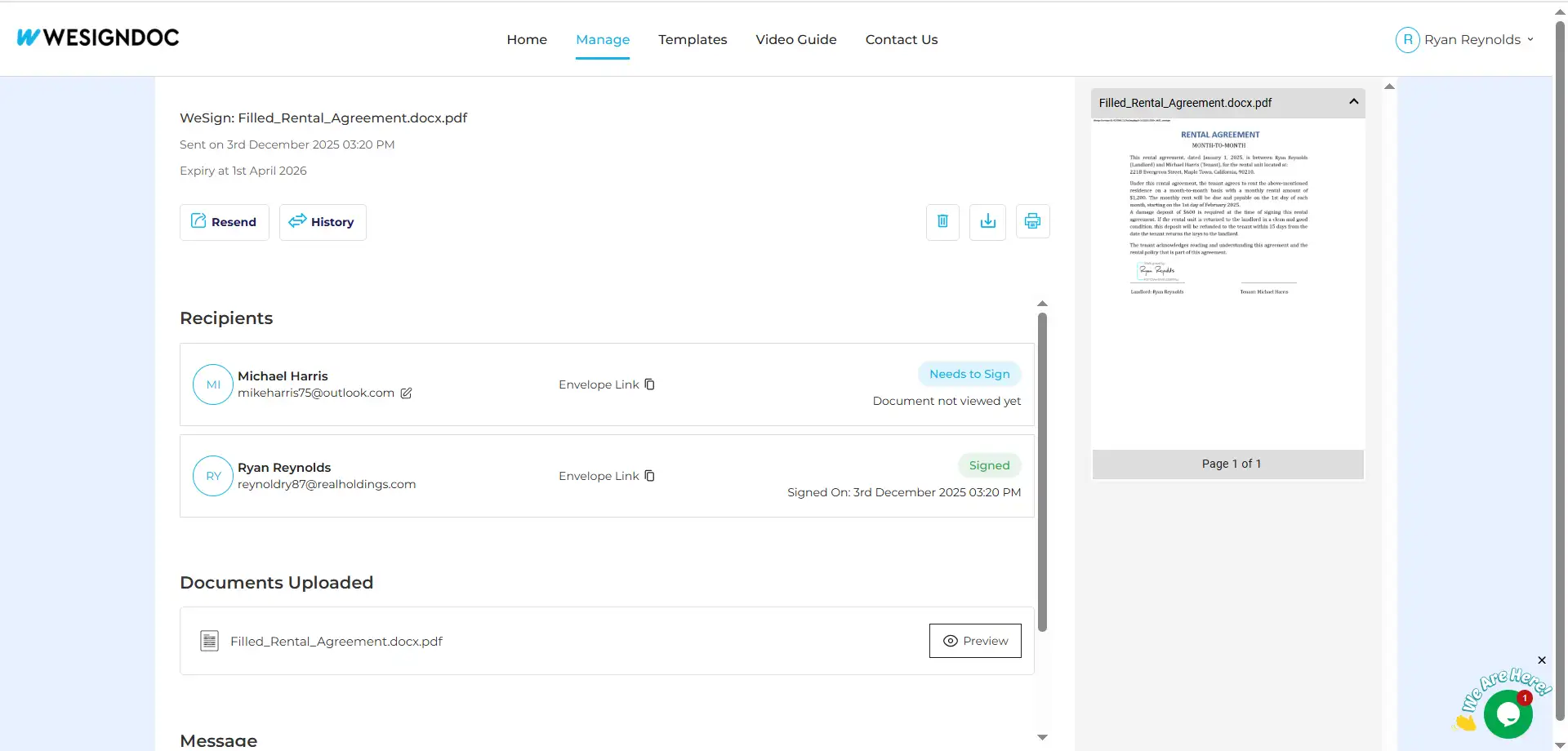
Benefits of Pre-Filled Fields
Both Reminders and Private Messaging help streamline and improve document workflows:
-
No self-signing required
-
Saves time and eliminates duplicate steps
-
Ensures accuracy and consistency across documents
-
Perfect for approval or verification workflows
-
Creates a smoother and faster signing experience

 Products
 eSignature Send, sign, and track documents
 Mobile App Sign, send, and manage documents from anywhere
 Smart Document Templates Build, reuse, and standardize documents
 Mass Document Sending (Bulk Send) Send forms to thousands in one go
 Web Forms Share links to collect signed forms
 Secure SMS Delivery Send sign links directly via SMS
 Robust API Integration Automate sending and tracking flows
 Developer SDK Toolkits Add eSign features to any product