Managing document workflows often requires more than sending files — it also involves following up and communicating with recipients. WESIGNDOC simplifies this with two powerful features:
-
Automatic Reminders
-
Private Messaging
These tools help ensure documents are completed on time while allowing sender-to-recipient communication inside the envelope.
Automatic Reminders in WESIGNDOC
WESIGNDOC Reminders keep your signing process on track by notifying signers automatically. This eliminates the need for manual follow-ups.
Why Use Reminders?
Recipients often forget to open or sign documents. Automatic reminders fix this by sending scheduled alerts — saving time and avoiding delays.
How WESIGNDOC Reminders Work?
While preparing your envelope, enable the option “Send Automatic Reminders” beneath the message section.
-
Choose when the first reminder should be sent (e.g., after 1 day, every 2 days, etc.)
-
This becomes the baseline for future reminders
-
Set how often follow-up reminders should occur

Once reminders are turned on, WESIGNDOC automatically handles all notifications until the document is completed. You can fully customize the reminder frequency based on urgency.
Private Messaging for Individual Recipients
Private Messaging lets you send secure, personalized messages to specific recipients inside an envelope. These messages are visible only to the chosen signer.
Why Use Private Messages?
Some recipients may require special instructions or confidential information that should not be shared with others.
Important Note
Private message fields accept plain text only. Hyperlinks (URLs) are not supported.
How to Add a Private Message
-
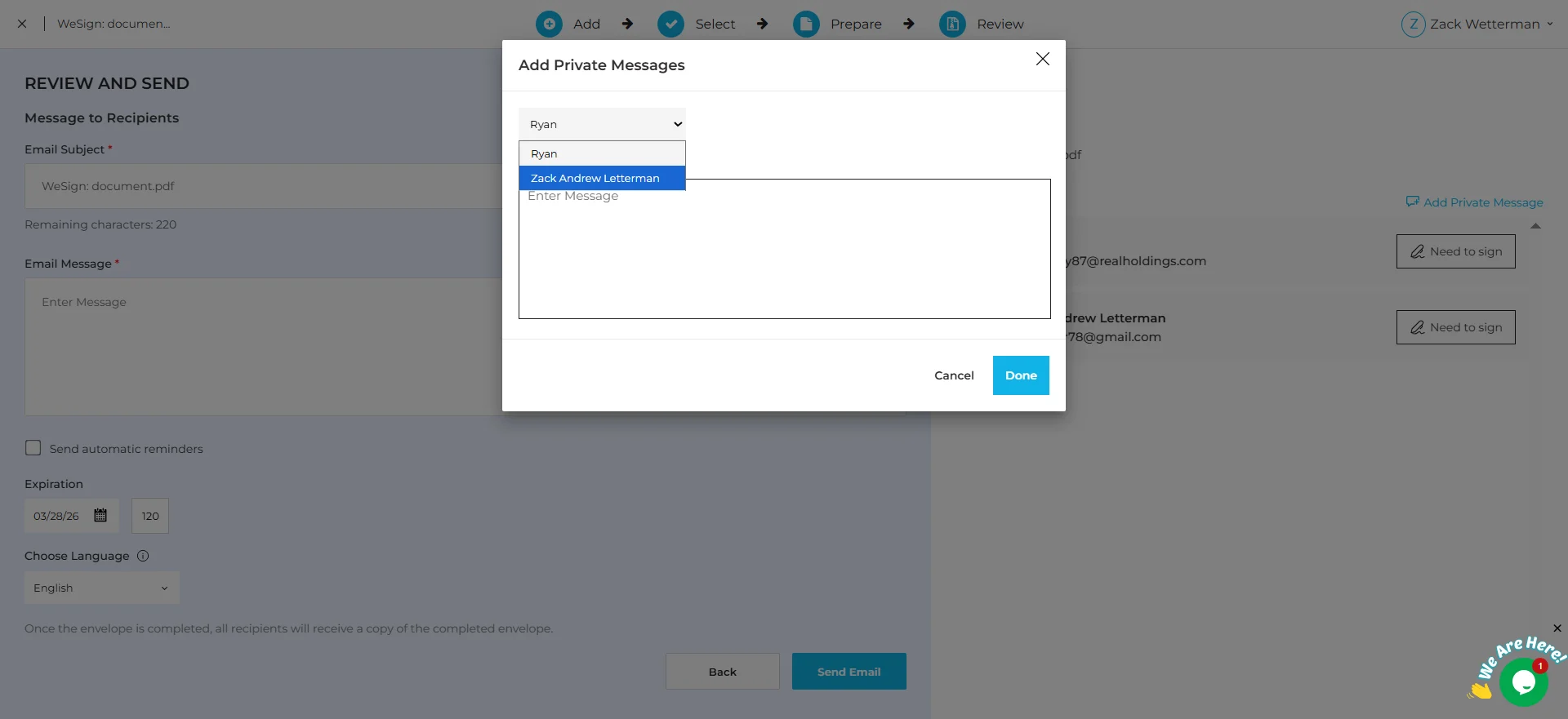
In the recipient list, click “Add Private Message”
-
A pop-up window appears
-
Select the recipient and type your message
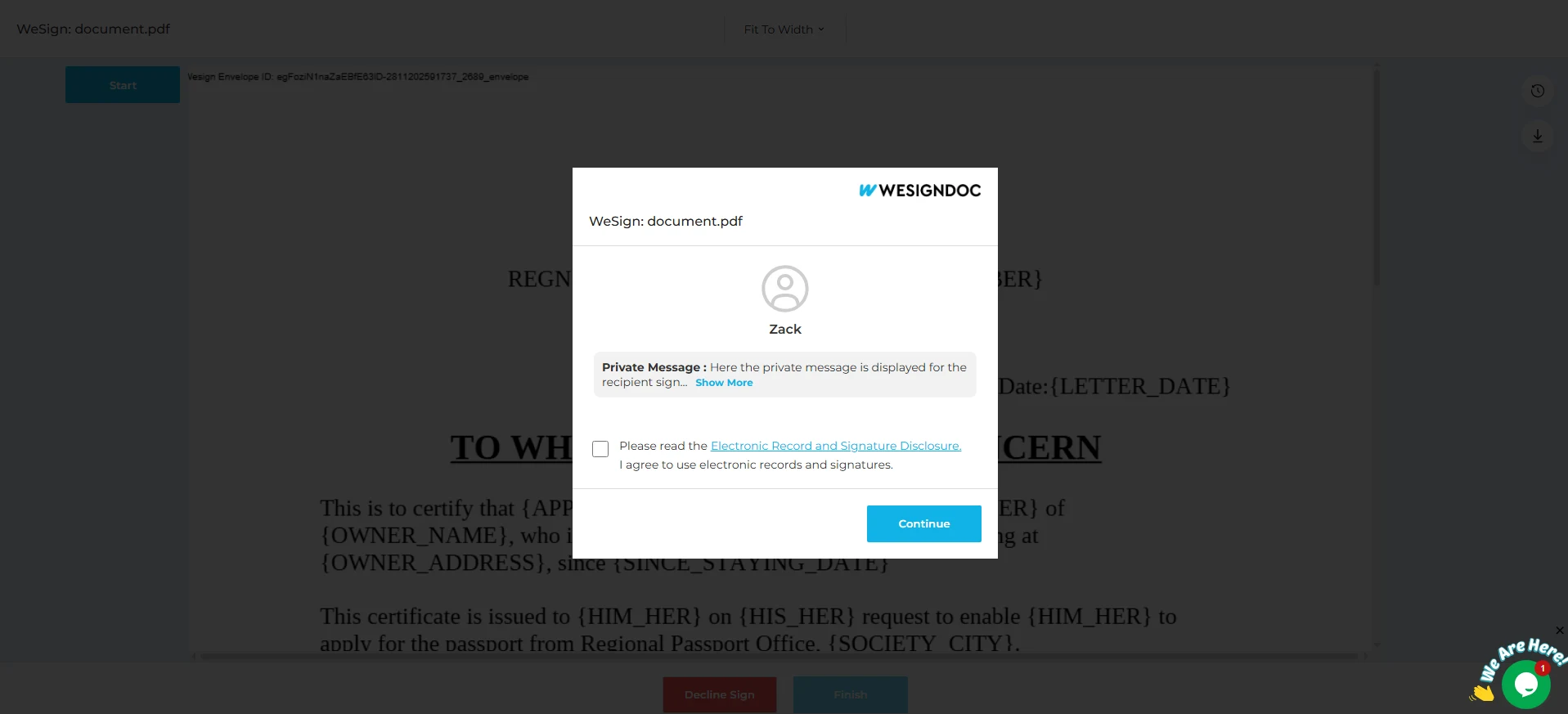
The signer will see your private message while viewing and signing the document — ensuring the right information reaches the right person.
Why These Features Matter
Both Reminders and Private Messaging help streamline and improve document workflows:
-
Reduce delays with automated follow-ups
-
Provide personalized communication to individual signers
-
Improve signing completion rates
-
Remove confusion from multi-signer envelopes
-
Save time in high-volume document environments
These features benefit teams in real estate, legal services, HR, onboarding, insurance, finance, healthcare, consulting, and any organization with multiple signers.

 Products
 eSignature Send, sign, and track documents
 Mobile App Sign, send, and manage documents from anywhere
 Smart Document Templates Build, reuse, and standardize documents
 Mass Document Sending (Bulk Send) Send forms to thousands in one go
 Web Forms Share links to collect signed forms
 Secure SMS Delivery Send sign links directly via SMS
 Robust API Integration Automate sending and tracking flows
 Developer SDK Toolkits Add eSign features to any product