In many business situations, signing a document is only part of the process—payment is often required as well. Whether it’s a service agreement, contract approval, or onboarding fee, managing both signing and payment separately can slow things down.
With WESIGNDOC, you can combine document signing and payment requests in one smooth workflow. This allows senders to share payment details directly within the document and enables signers to complete the payment via wire transfer while signing.
How It Works
WESIGNDOC makes it simple to request payment at the time of signing by adding a Payment Field directly into the document.
This ensures that:
-
The signer clearly sees payment instructions
-
Payment and signing happen in one process
-
Verification becomes easier and more organized
For Senders: How to Request Payment While Sending a Document
The process starts just like a regular document sending flow:
-
Upload Your Document
Add the file you want the recipient to review and sign.
-
Add Recipient Details
Enter recipient information using email or SMS, based on your preference.
-
Insert Required Fields
In the document canvas, add all necessary fields such as signature, date, name, or any other required inputs.
Add Payment Request to the Document
This is where payment collection is enabled:
-
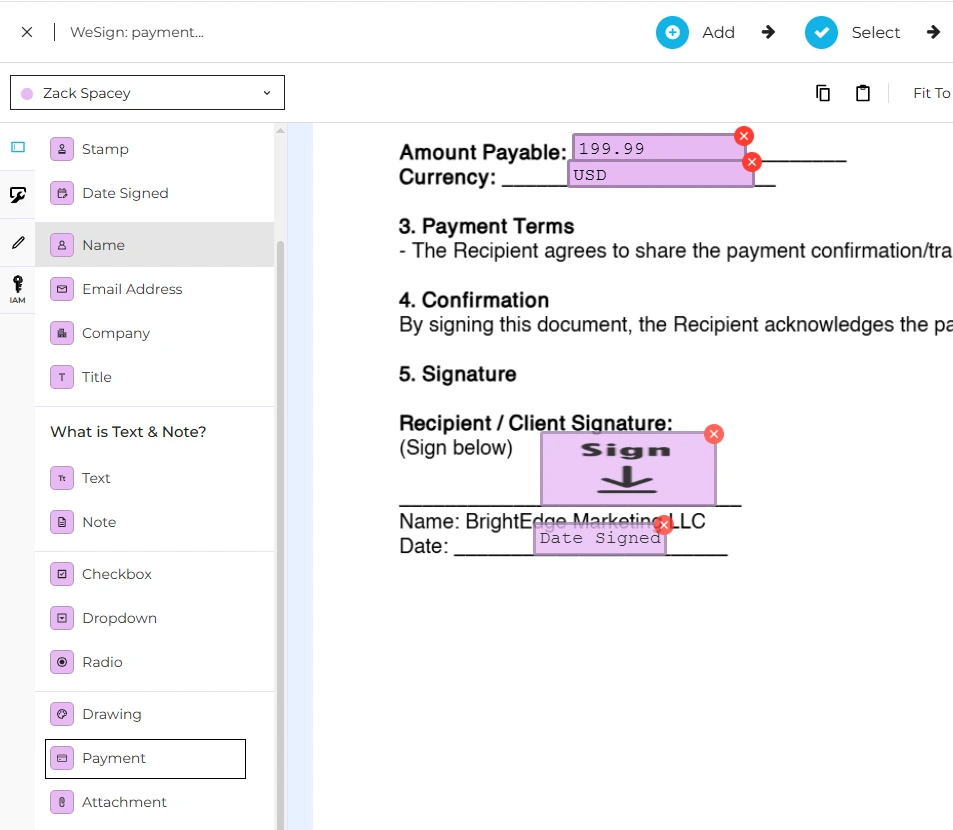
Drag and drop the Payment Field onto your document
-
A panel will open where you can configure payment details
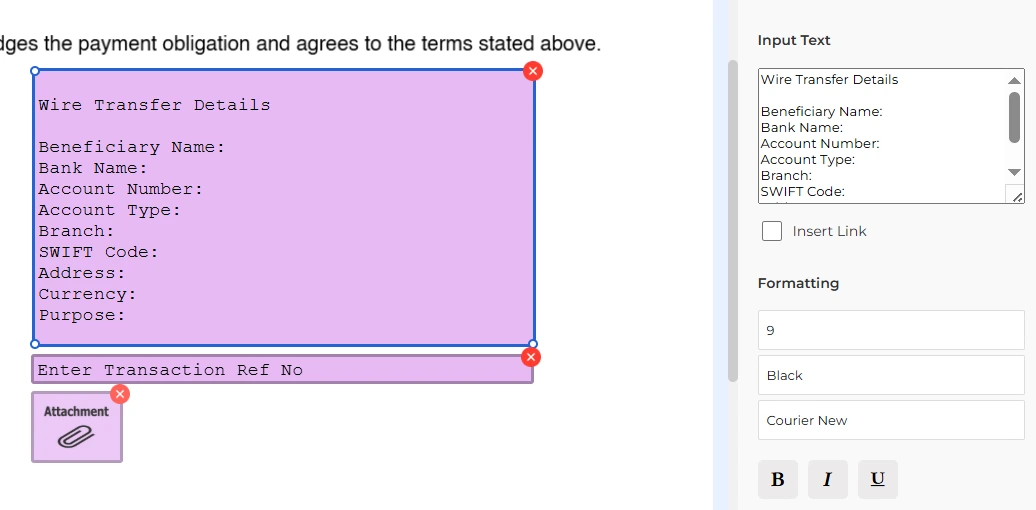
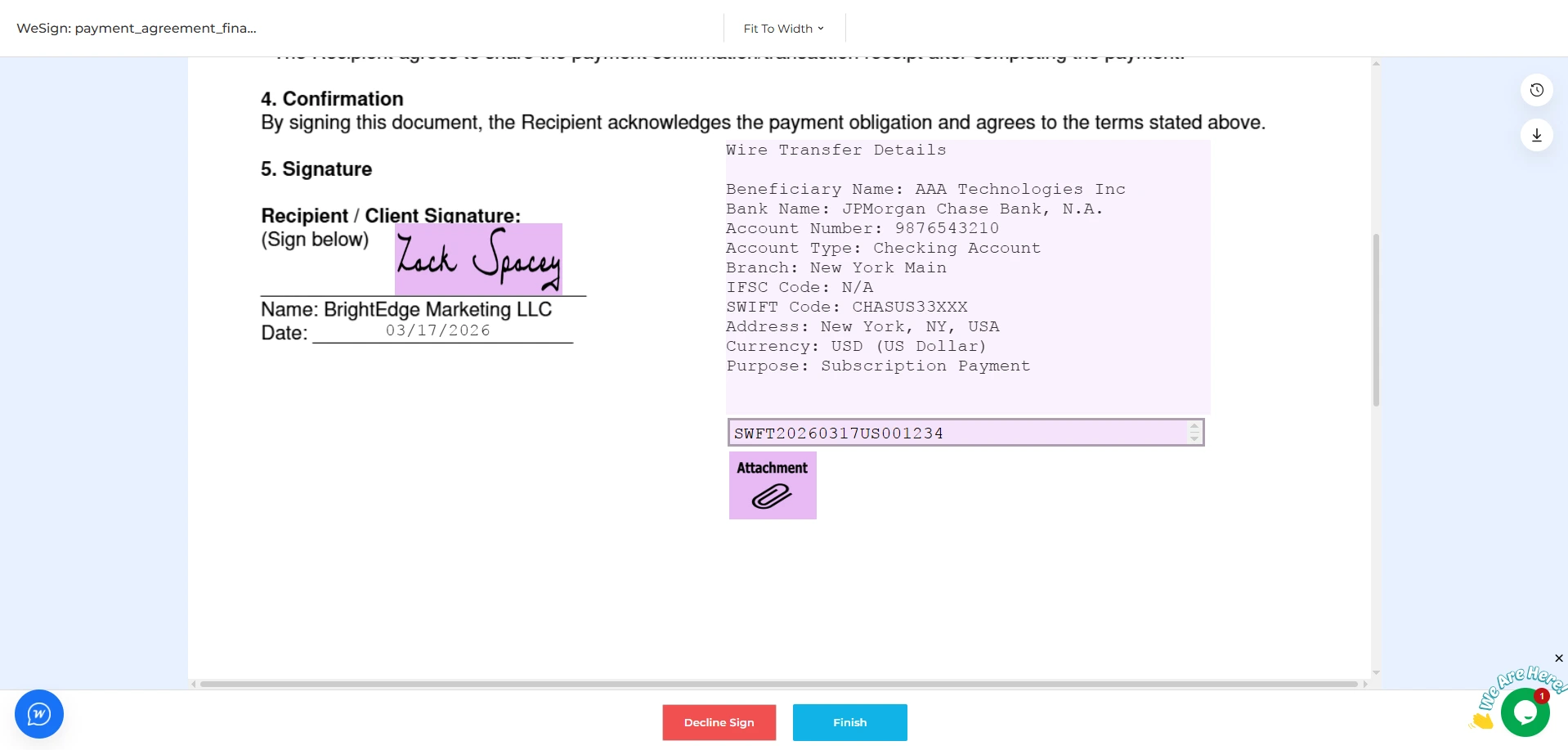
Inside the Payment Field:
-
Note Section:
Add your wire transfer details (bank name, account number, instructions, etc.) so the signer knows where to send the payment
-
Transaction Reference Field:
The signer can enter their payment reference number after completing the transfer
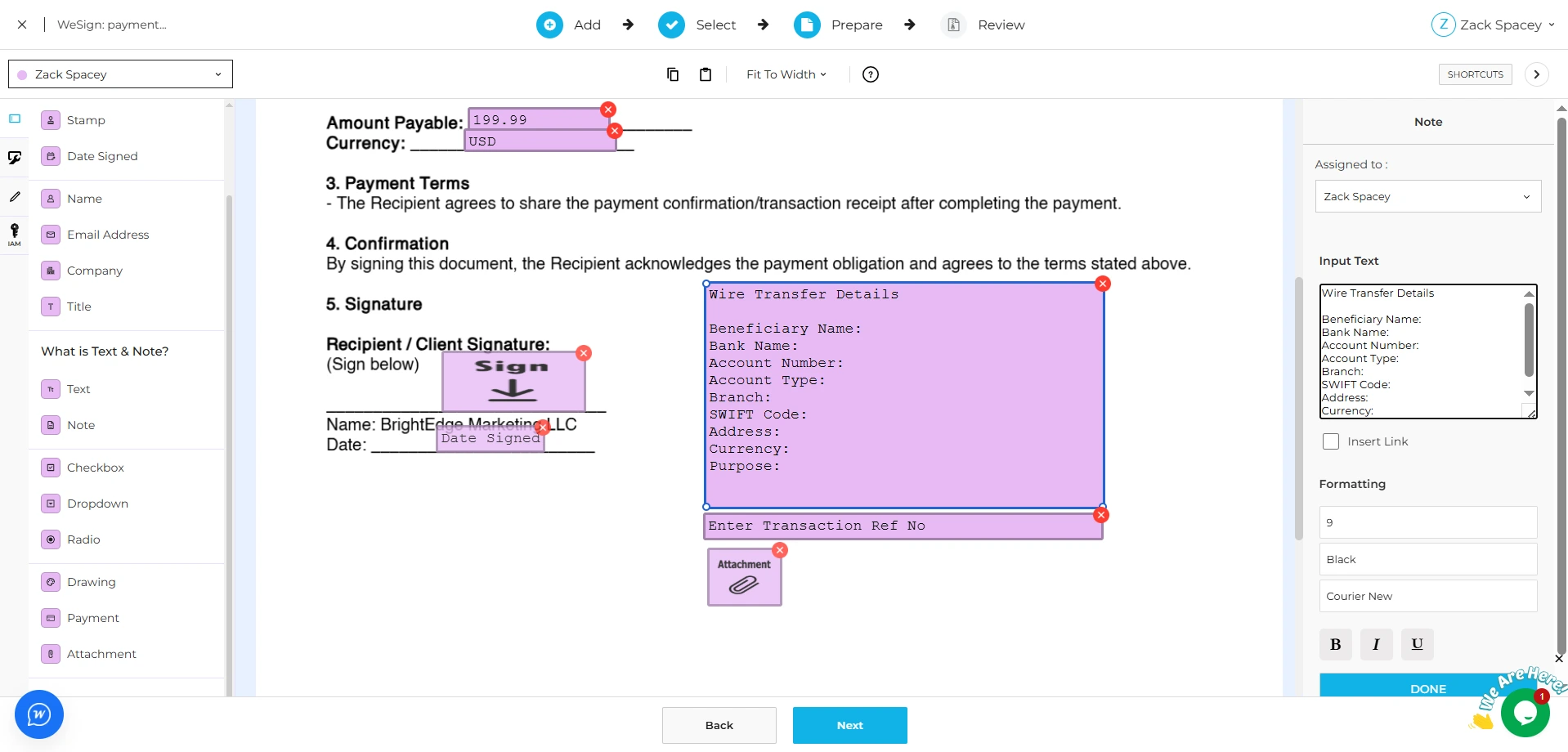
Optional: Add Attachment for Verification
To make payment verification faster and more reliable:
-
Add an Attachment Field
-
The signer can upload payment proof (receipt, screenshot, etc.)
Once everything is set up, simply send the document.
For Signers: How to Complete Signing with Payment
-
Open the Document
Access the document from email, SMS, or link
-
Fill and Sign
Complete all required fields and sign the document.
-
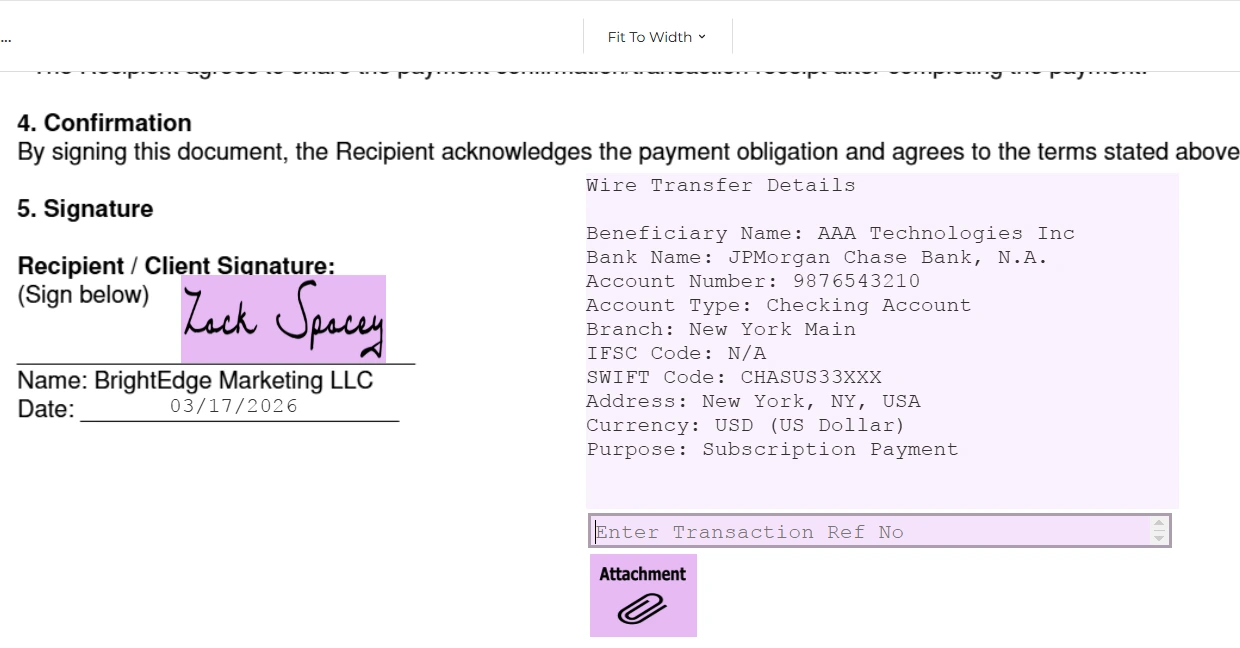
Make the Payment
Use the wire transfer details provided in the document to send the required amount.
-
Enter Transaction Reference
After completing the payment, enter the transaction reference number in the provided field.
-
Upload Payment Proof (if required)
If requested, attach a payment confirmation for faster processing.
Why Use Payment Requests in WESIGNDOC
-
Combine signing and payment in a single flow
-
Reduce back-and-forth communication
-
Improve payment tracking and verification
-
Provide clear instructions to signers
-
Speed up business processes
A Smarter Way to Close Agreements
By integrating payment requests directly into documents, WESIGNDOC helps businesses simplify workflows and ensure nothing is missed. From agreements to service payments, everything can be handled in one place—securely and efficiently.

 Products
 eSignature Send, sign, and track documents
 Mobile App Sign, send, and manage documents from anywhere
 Smart Document Templates Build, reuse, and standardize documents
 Mass Document Sending (Bulk Send) Send forms to thousands in one go
 Web Forms Share links to collect signed forms
 Secure SMS Delivery Send sign links directly via SMS
 Robust API Integration Automate sending and tracking flows
 Developer SDK Toolkits Add eSign features to any product